Connected business systems · Odoo Community
Sales & Marketing with Odoo
CRM, sales, email marketing and POS, connected in one system.
App 01 · Odoo Community
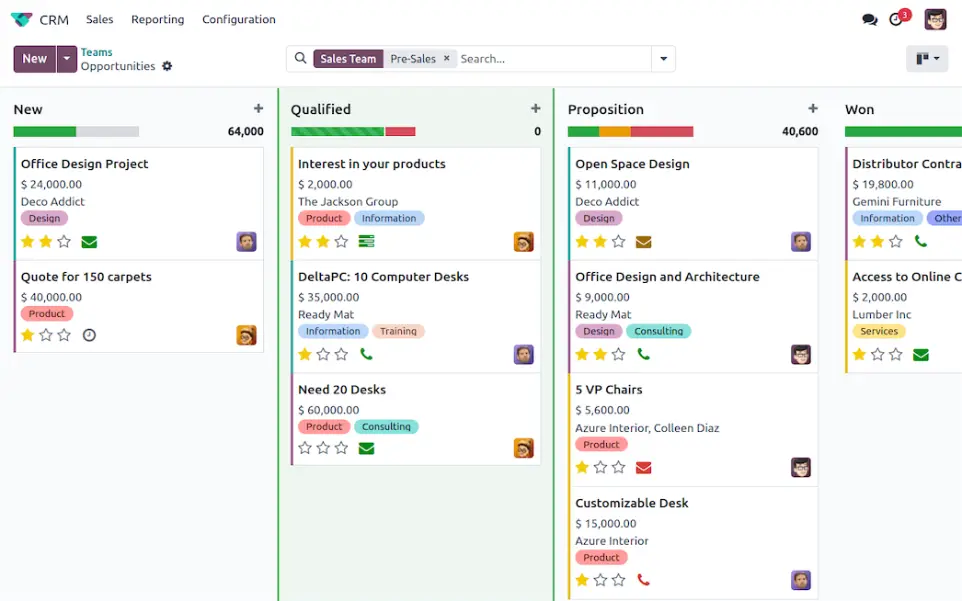
 Customer Relationship Management (CRM)
Odoo’s CRM application is designed to empower businesses by streamlining customer interactions and boosting sales productivity, you can:
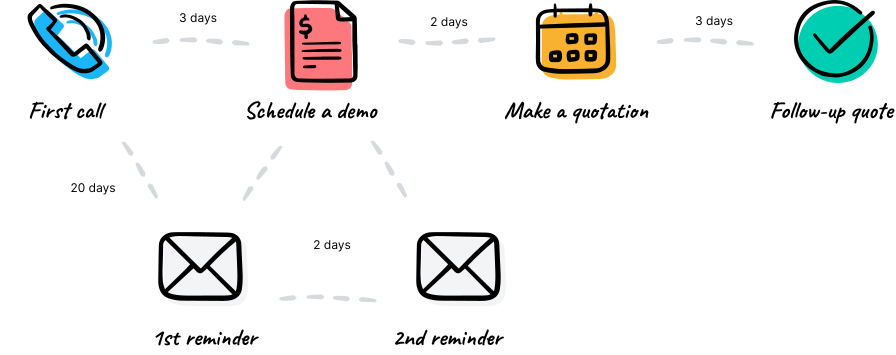
- Track Leads and Opportunities: Manage your sales pipeline effectively with detailed tracking of leads, opportunities, and customer interactions.
- Automate Workflows: Save time with automated follow-ups, task assignments, and lead scoring.
- 360° Customer View: Access all customer information, including communication history, preferences, and past interactions, in one centralized location.
- Real-Time Reporting: Gain actionable insights into your sales performance with custom dashboards and detailed analytics.
Enhance your customer relationships and close deals faster with Odoo CRM.
App 02 · Odoo Community
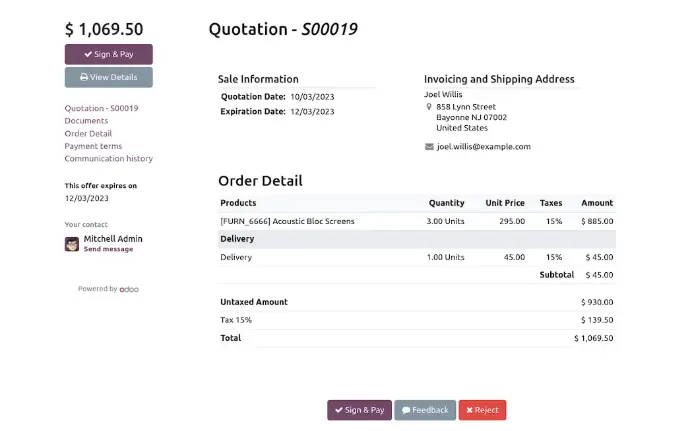
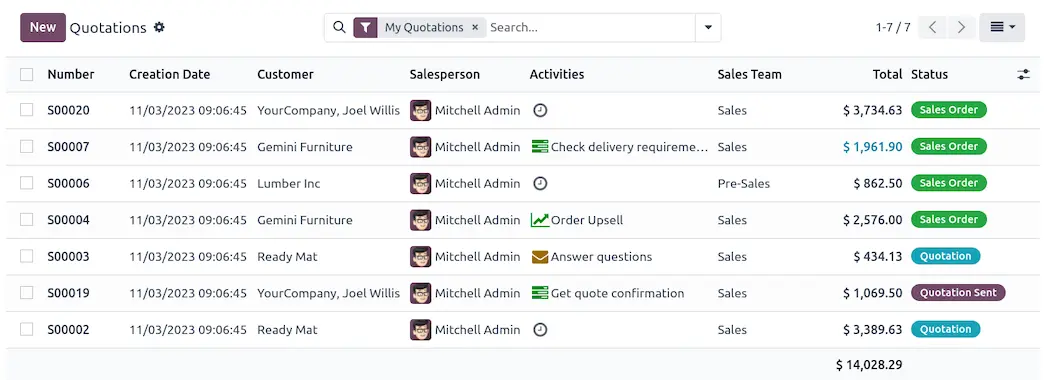
 Sales Management
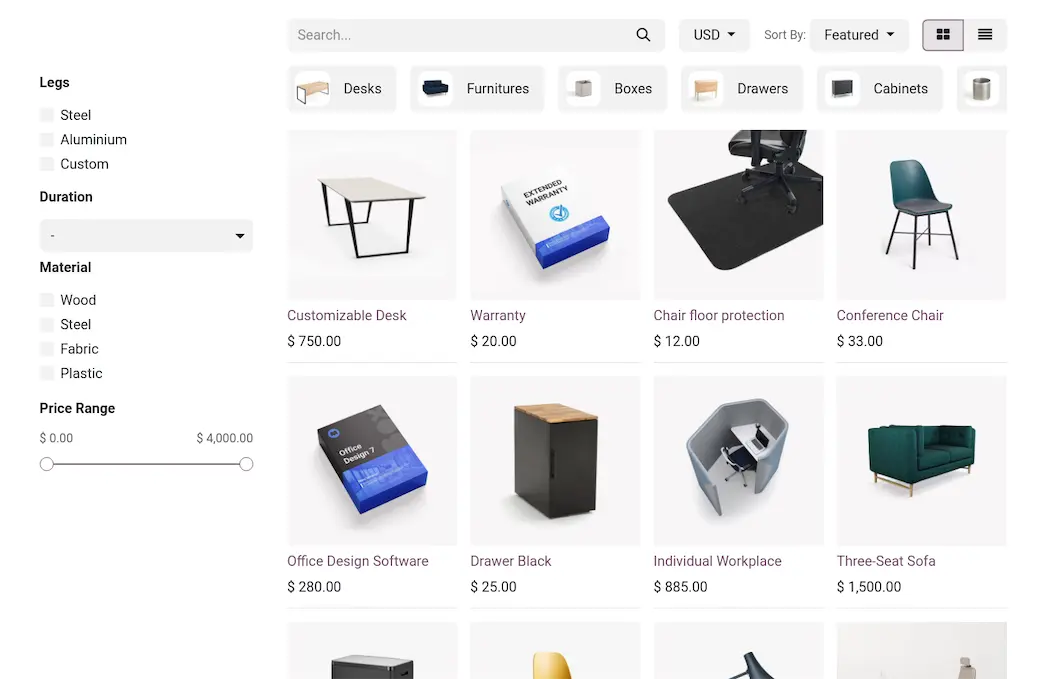
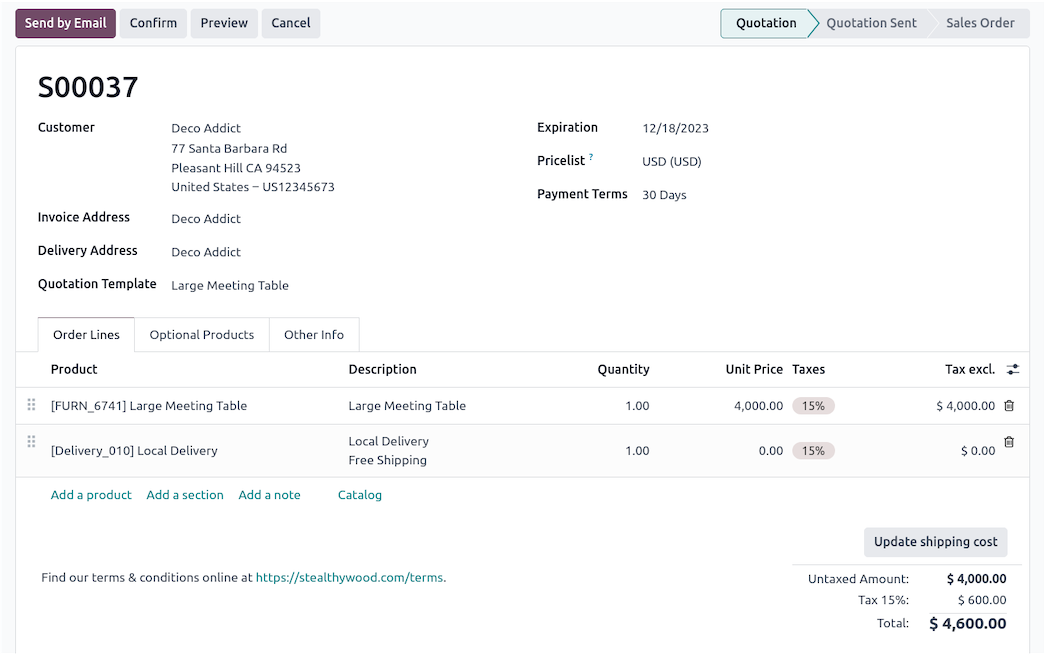
Optimize your sales operations with Odoo’s Sales application. This comprehensive solution simplifies the entire sales process, from quotation to invoicing. Key features include:
- Quotations and Orders: Quickly create professional quotes and convert them into sales orders with a few clicks.
- Integrated Pricing: Manage pricing strategies with discounts, price lists, and promotions.
- Upselling and Cross-Selling: Maximize revenue with intelligent recommendations for upselling and cross-selling.
- Seamless Integration: Connect seamlessly with CRM, Inventory, and Invoicing for a unified workflow.
- Mobile Accessibility: Manage your sales anytime, anywhere with the mobile-friendly interface.
Odoo Sales helps businesses drive growth and improve operational efficiency.
App 03 · Odoo Community
 Email Marketing
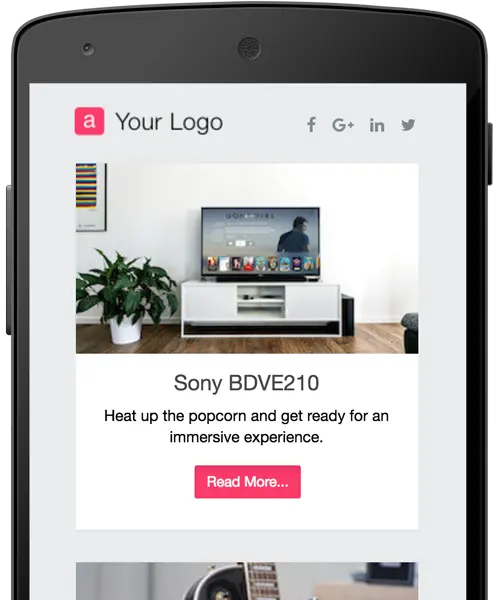
Odoo’s Email Marketing application empowers you to engage with your audience and build strong connections. It’s an all-in-one solution for creating, executing, and analyzing email campaigns. Features include:
- Drag-and-Drop Editor: Design stunning emails without any technical skills.
- Targeted Campaigns: Segment your audience for personalized communication.
- Scheduling and A/B Testing: Schedule campaigns in advance and test different versions to find the one that performs best.
- Analytics and Reporting: Measure campaign performance with detailed statistics on open rates, click-through rates, and conversions.
- Integration: Link with CRM and Sales to nurture leads and drive sales.
Reach your audience effectively and increase customer loyalty with Odoo Email Marketing.

App 04 · Odoo Community
 Point of Sale (POS)
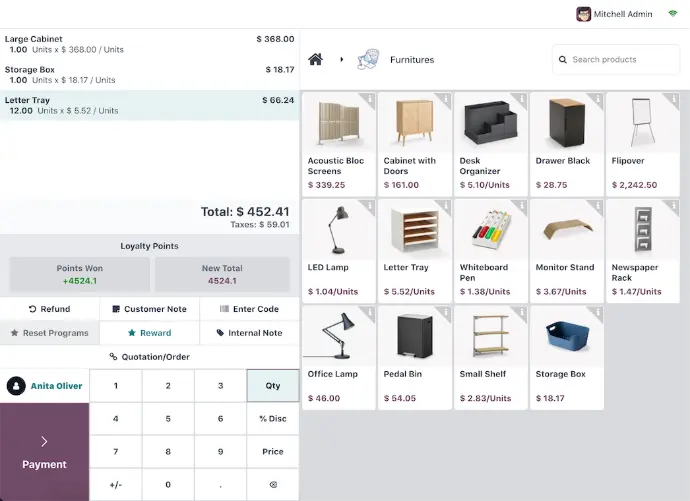
Transform your retail operations with Odoo’s POS application. It’s a powerful, intuitive system that works online and offline, ensuring seamless transactions. Key features include:
- User-Friendly Interface: Process sales quickly with an intuitive design tailored for retail environments.
- Real-Time Inventory: Sync with Odoo Inventory to keep stock levels updated in real-time.
- Multi-Store Management: Manage multiple stores or locations effortlessly.
- Flexible Payment Options: Accept payments via cash, card, or mobile wallets.
- Customer Loyalty: Boost repeat business with built-in loyalty programs and promotions.
Odoo POS provides a complete solution for managing your retail business efficiently.
App 05 · Odoo Community
 Restaurant
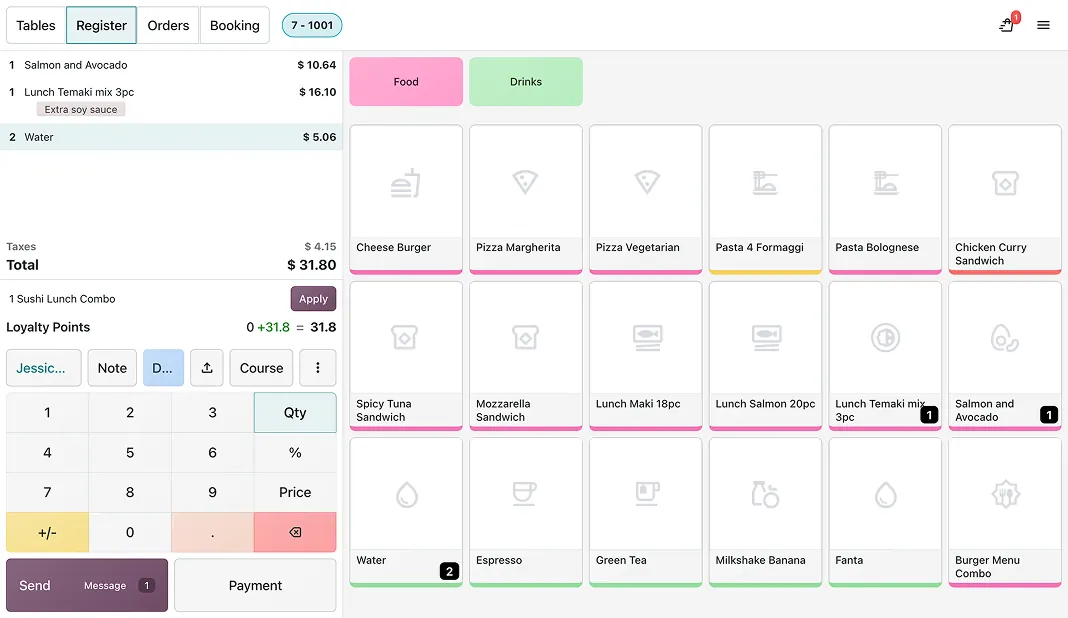
Run your dining room, counter and takeout from the same Point of Sale your team already knows. Odoo’s Restaurant features extend the POS for food service, you can:
- Floor Plans: Draw your rooms and tables and see at a glance which ones are free or busy.
- Table Orders: Open an order per table, add courses and keep it until the guests are ready to pay.
- Bill Splitting: Split a bill by guest or by item and take several payments for one table.
- Tips: Add tips at payment time and keep them tied to the right order.
- Self-Ordering: Let guests order from their phone or a kiosk with the Odoo self-order option.
Serve faster and keep every table under control with Odoo Restaurant.
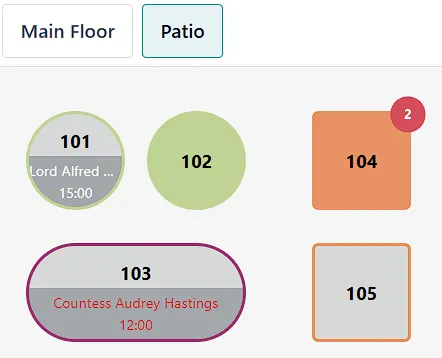
Floor plan showing tables and their status
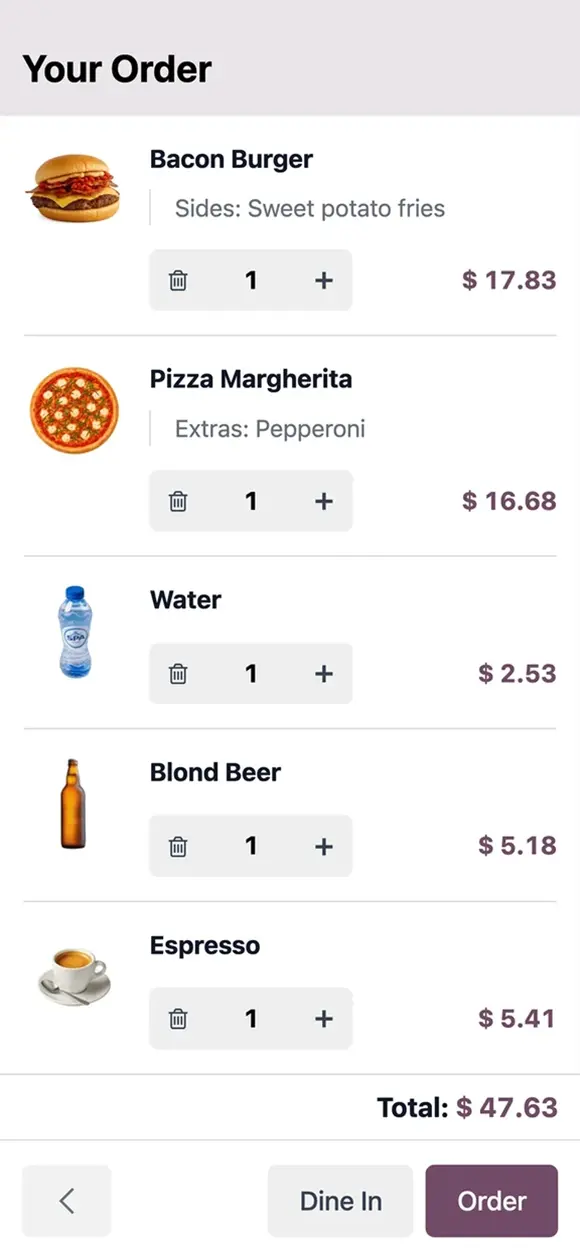
Guest order placed from a phone
Next step
Ready to win more customers and grow your sales?
Our team plans, configures and supports your Odoo apps so they fit the way you work.
Prefer to talk? 786-258-1088 • info@innovansis.com
Odoo Community applications