Connected business systems · Odoo Community
Human Resources with Odoo
Attract the right talent, keep your team organized and give every employee a simple, transparent experience.
App 01 · Odoo Community
 Employees
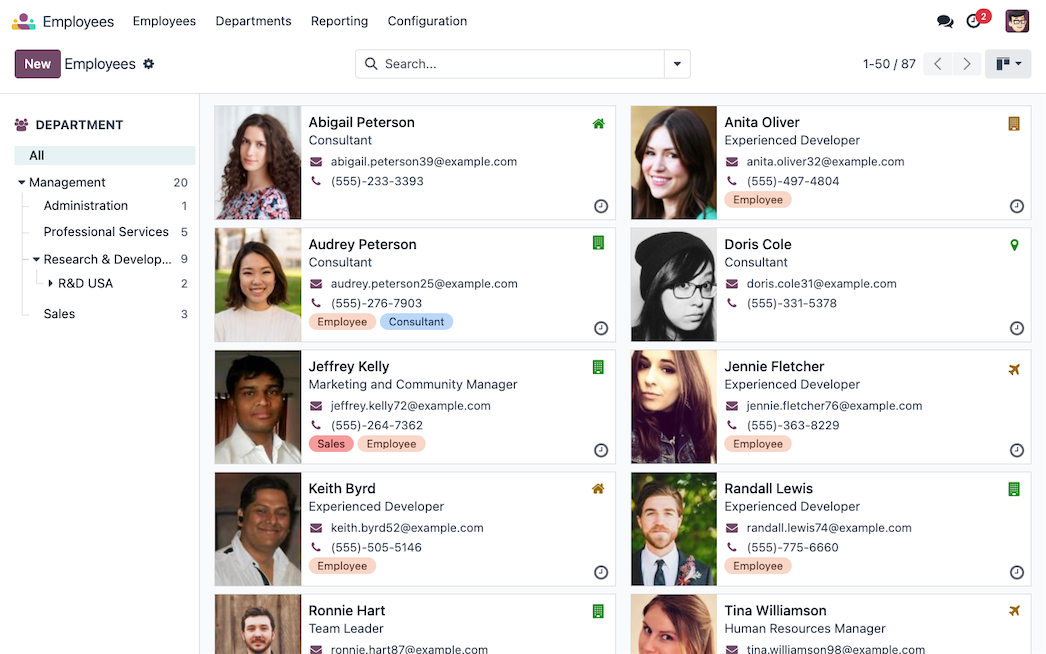
Put all your people in one place. Odoo’s Employees application centralizes every employee record and gives you a clear view of your organization, you can:
- Employee Directory: Departments, job positions, work contacts and working hours in one searchable view.
- Org Chart: See reporting lines directly on every employee profile.
- Skills and Resumes: Record skills, languages and experience to find the right person fast.
- Private Data Protection: Keep sensitive personal information visible only to HR officers.
- Onboarding Plans: Assign onboarding and offboarding activities to the right people automatically.
Build a well-organized, well-informed team with Odoo Employees.
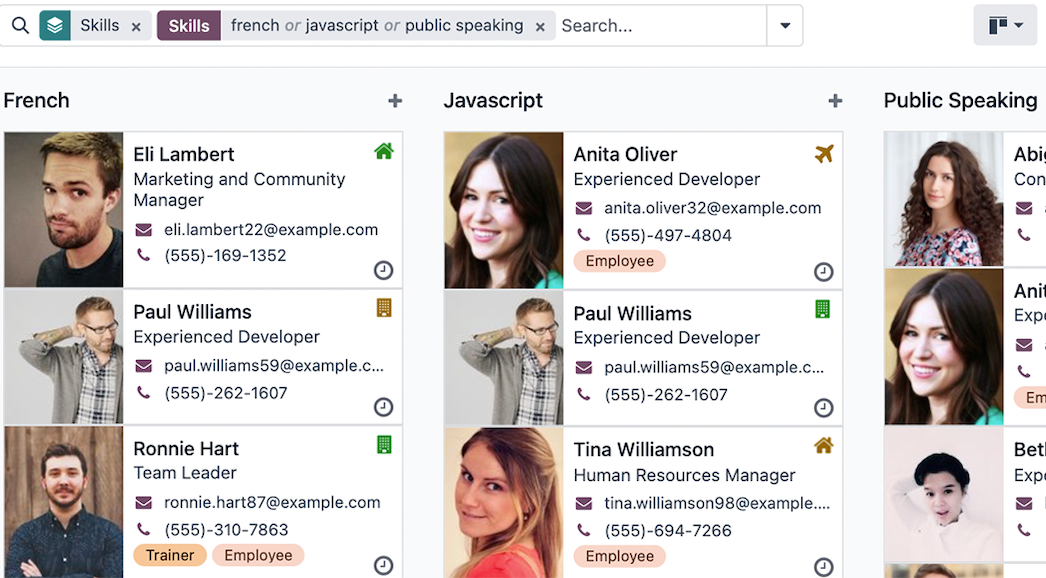
Employees grouped by skills in Odoo
App 02 · Odoo Community
 Recruitment
Hire the best people, faster. Odoo’s Recruitment application manages your hiring pipeline from job post to first day. Key features include:
- Job Positions Dashboard: Follow every opening, new applicants and upcoming activities at a glance.
- Visual Pipeline: Drag and drop applicants through stages that match your hiring process.
- Online Job Posting: Publish openings on your website and receive applications directly in Odoo.
- Automated Emails: Send stage-based messages so candidates always know where they stand.
- Interviews and Evaluation: Schedule interviews in the calendar and score candidates with interview forms.
- From Applicant to Employee: Create the employee record in one click once the offer is accepted.
Turn hiring into a smooth, collaborative process with Odoo Recruitment.
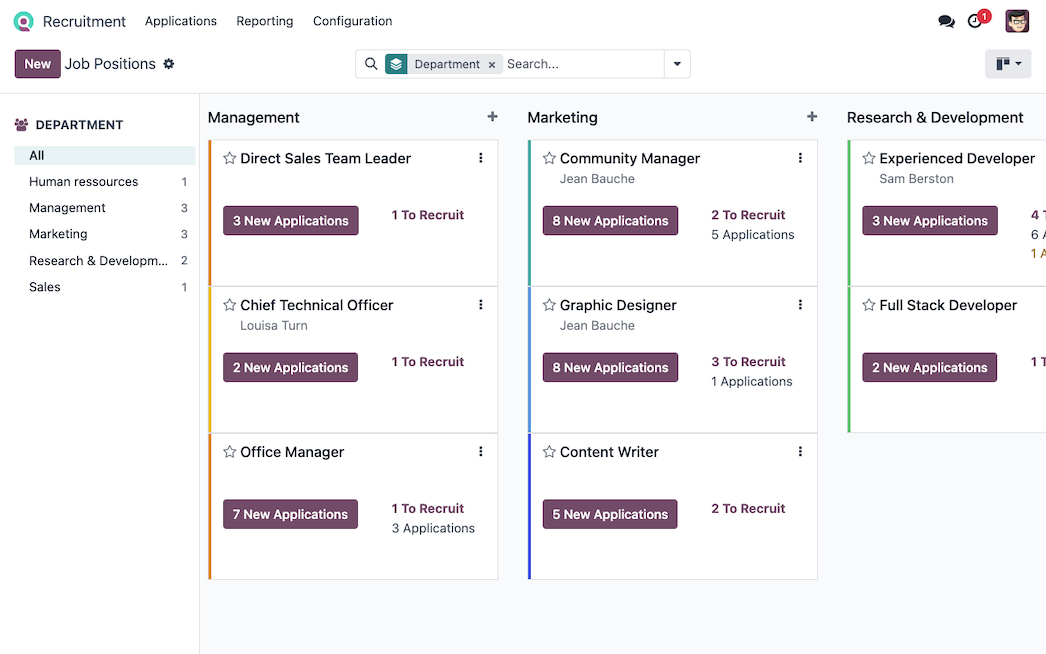
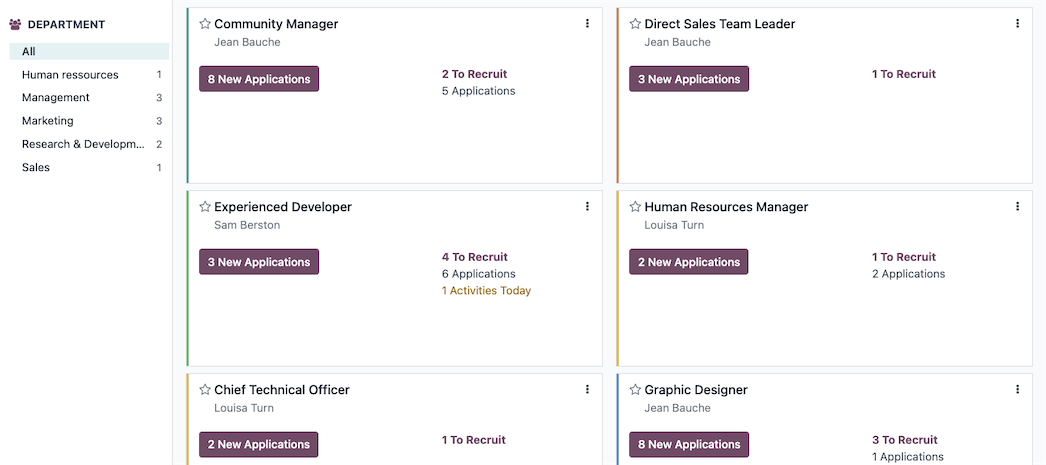
Job positions overview
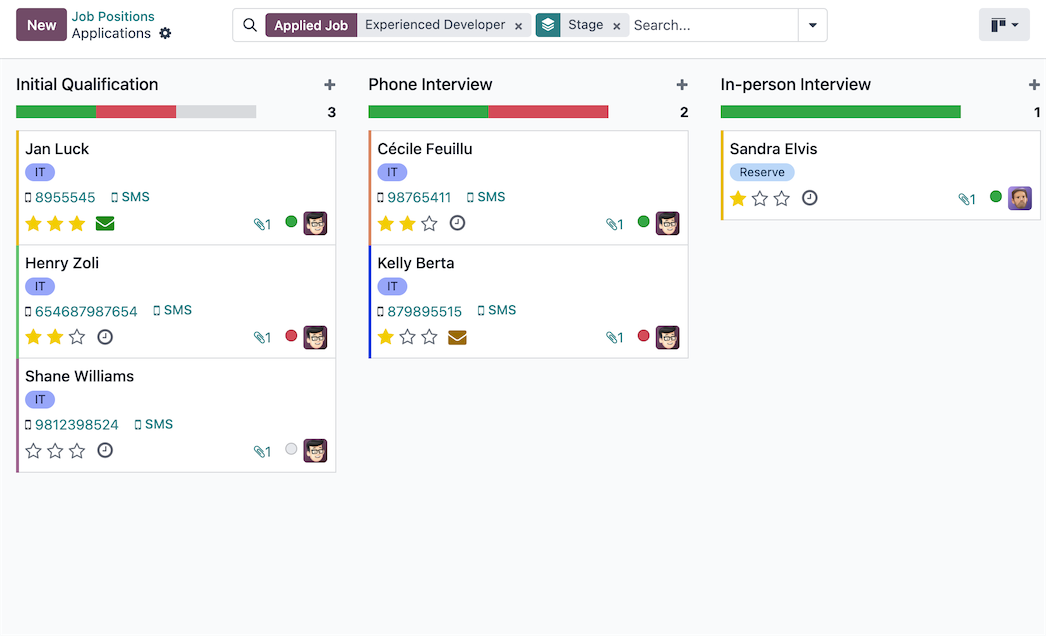
Applicant pipeline in Kanban view
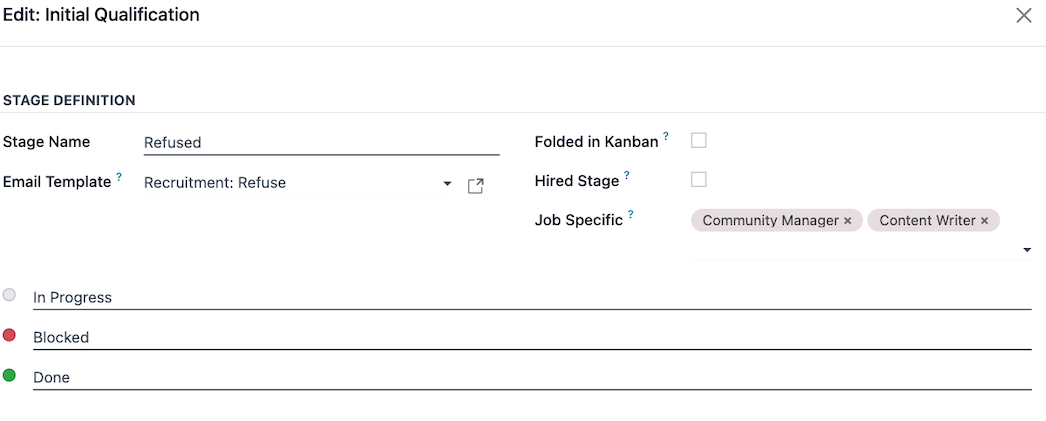
Recruitment stage configuration
App 03 · Odoo Community
 Time Off
No more spreadsheets or email threads for vacation requests. Odoo’s Time Off application keeps balances accurate and approvals fast:
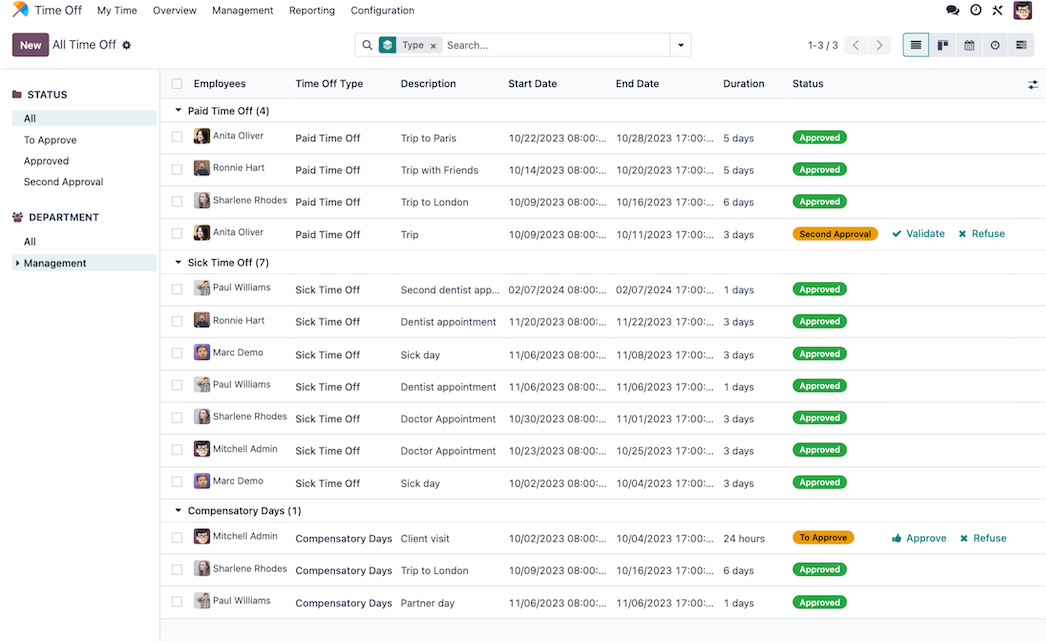
- Custom Time Off Types: Paid time off, sick leave, unpaid leave and more, each with its own rules.
- Allocations and Accrual Plans: Grant days manually or let them accrue automatically over time.
- Quick Approvals: Managers review and approve requests from one dashboard, with multi-level validation when needed.
- Mandatory Days: Block specific dates when no one can request time off.
- Team Calendar and Reports: See who is out and analyze time off trends.
Give employees clarity and managers control with Odoo Time Off.
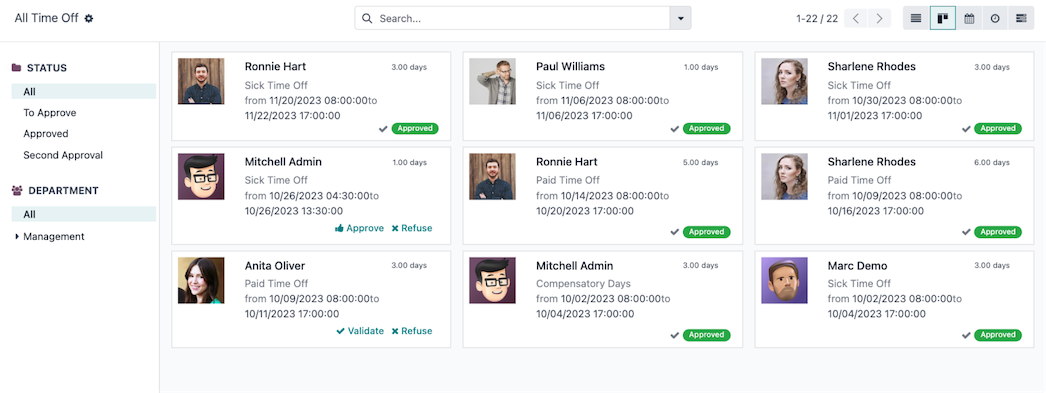
Time off requests to approve
App 04 · Odoo Community
 Attendances
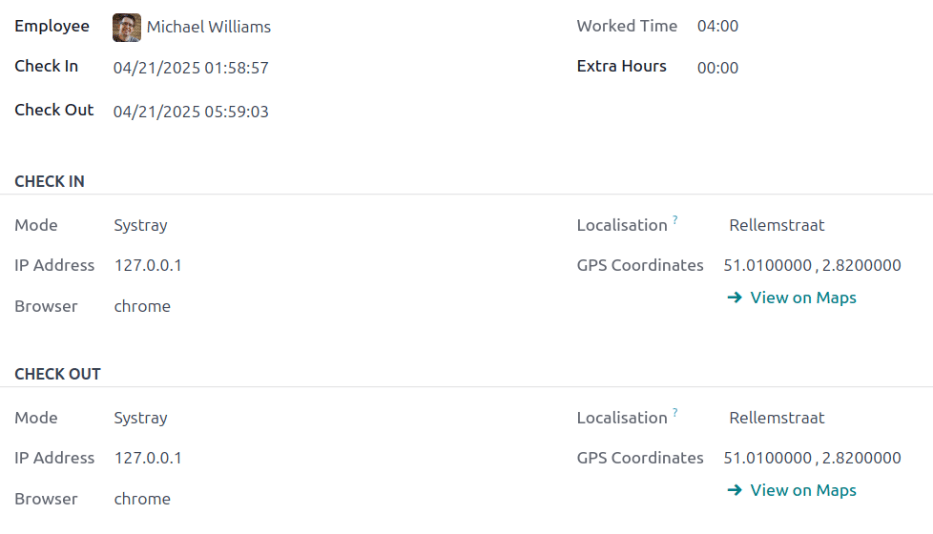
Know who is working, and for how long. Odoo’s Attendances application works as a simple time clock for your whole team:
- Check In and Check Out: Employees clock in with one click from Odoo or from a shared device in kiosk mode.
- Real-Time Presence: Managers see who is available at any moment.
- Overtime Insights: Spot extra hours and early check-outs automatically.
- Attendance Reports: Analyze worked hours by employee, department or period.
Track working time accurately and effortlessly with Odoo Attendances.
App 05 · Odoo Community
 Skills Management
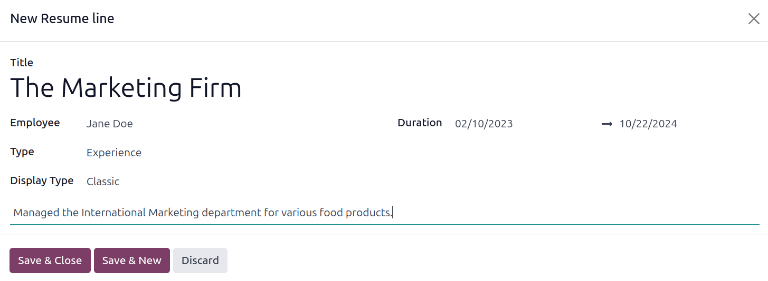
Know who can do what before you assign the job. Odoo’s Skills Management adds a résumé and a skills section to every employee profile, you can:
- Skill Types and Levels: Define your own skill types, such as languages, trades or software, each with its own levels.
- Employee Résumé: Record experience, education and internal training on each employee profile.
- Search by Skill: Find the people who have a given skill and level when you staff a project or a shift.
- Skills Reporting: Review the skills available across your team and spot gaps to cover with training or hiring.
Put the right person on every job with Odoo Skills Management.
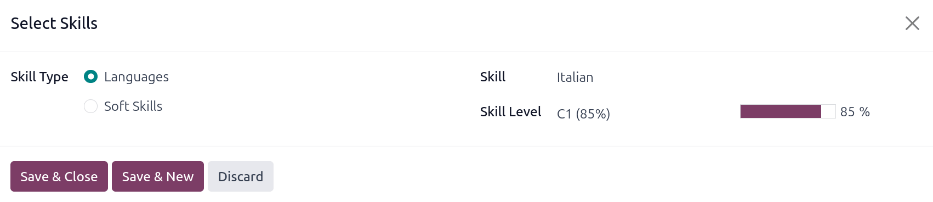
Selecting a skill and level for an employee
App 06 · Odoo Community
 Employee Contracts
Keep every employment agreement in one place, linked to the employee it belongs to. Odoo’s Employee Contracts application gives HR a clear view of who is hired, on what terms and until when, you can:
- Contract Records: Store the start date, end date, working schedule, department and job position of each agreement.
- Status Pipeline: Follow contracts from New to Running to Expired so nothing ends without anyone noticing.
- Renewal Alerts: Get a reminder before a contract reaches its end date and plan the renewal in time.
- Contract Types: Separate permanent, temporary or part-time agreements and filter them in a single list.
- Contract History: Keep the full record of past and current contracts on the employee profile.
Hire with clear terms and never miss a renewal with Odoo Employee Contracts.
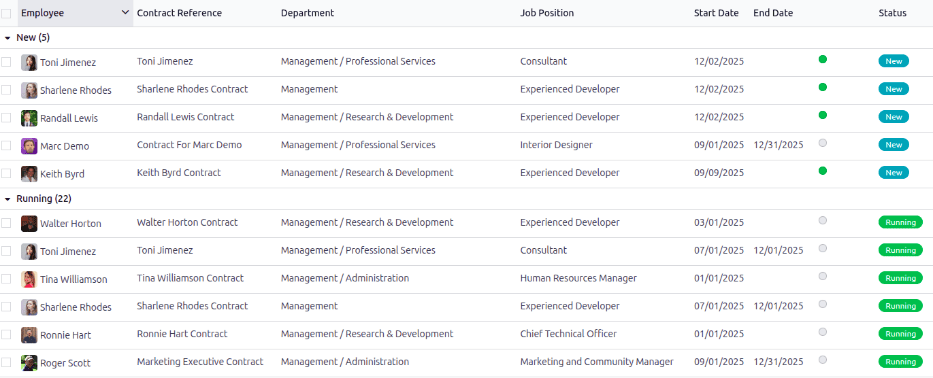
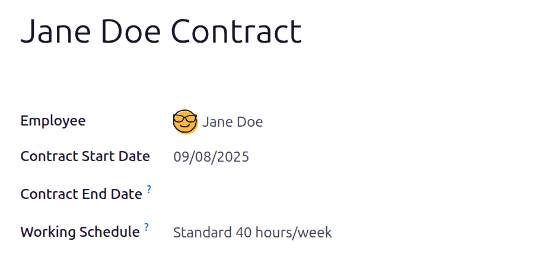
Contract form with dates and working schedule
App 07 · Odoo Community
 Online Jobs
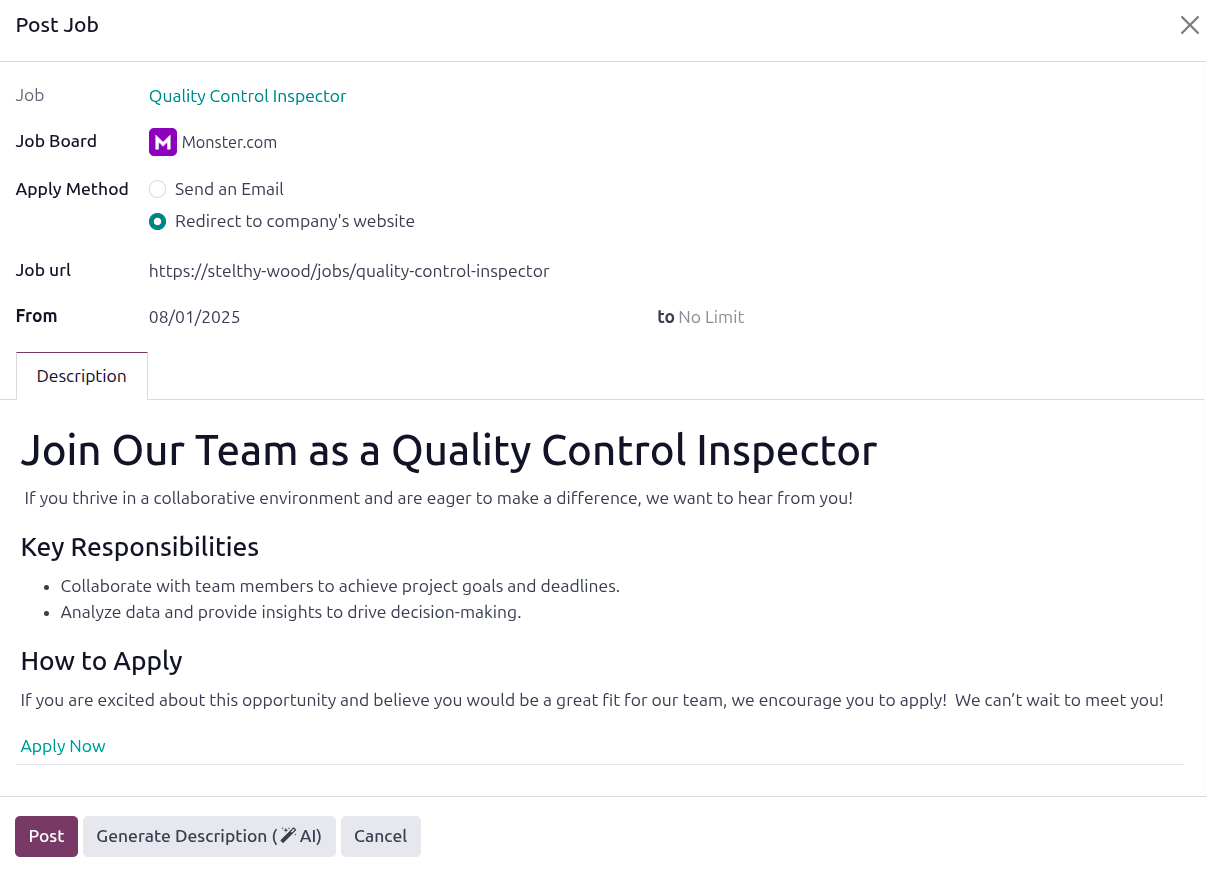
Publish open positions on your own website and let candidates apply without emails or paper forms. Odoo’s Online Jobs application connects your careers page to Recruitment, you can:
- Careers Page: List every open position on your website with its description, location and department.
- Job Descriptions: Write and update each posting with the website editor, so it always matches your brand.
- Online Applications: Let candidates send their details and resume from the job page in a few clicks.
- Straight to the Pipeline: Turn every application into an applicant in Recruitment, ready for review.
- Publish or Unpublish: Open or close a posting from the job form as soon as the position is filled.
Attract the right candidates from your own website with Odoo Online Jobs.
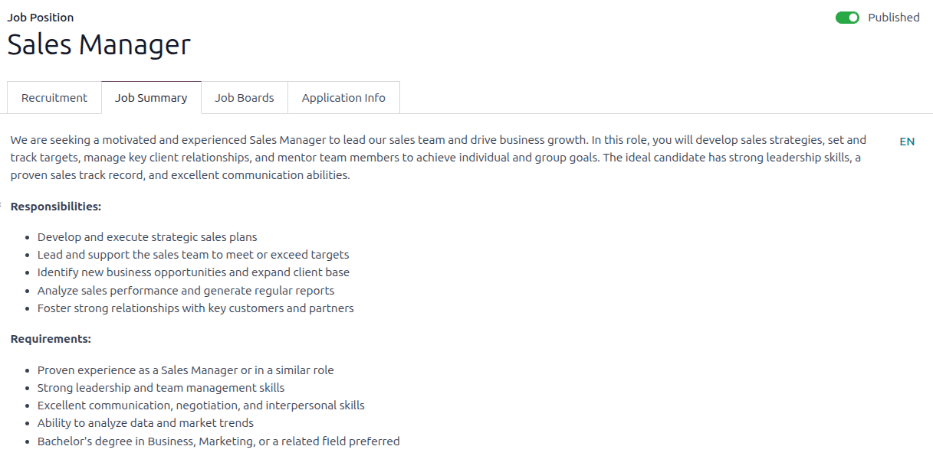
Job description edited for the careers page
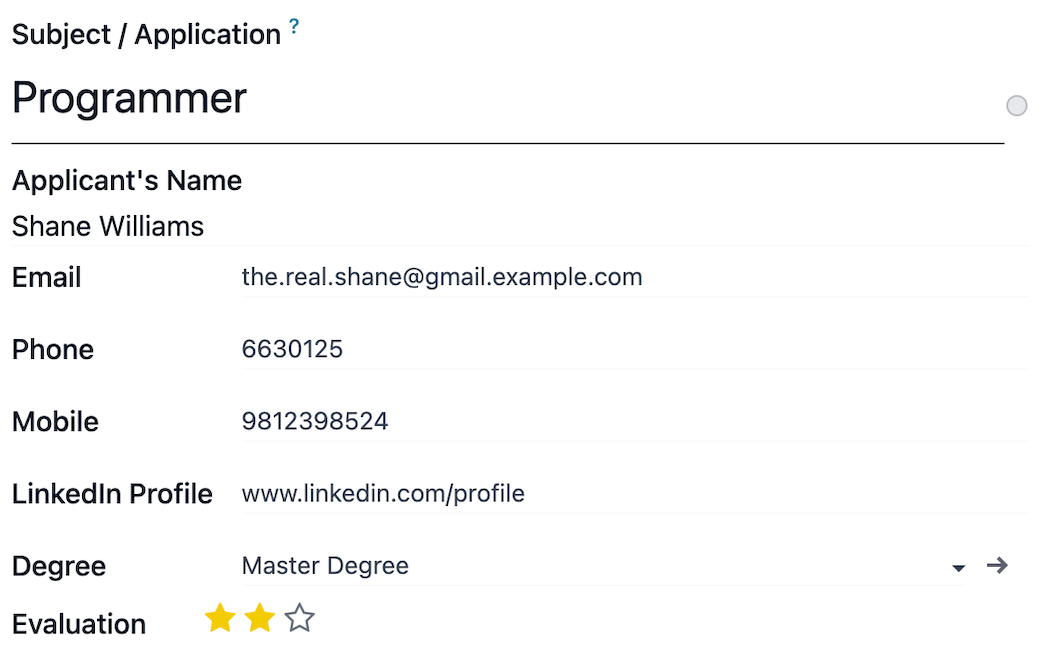
Online application received as a new applicant
App 08 · Odoo Community
 Lunch
Organize team meals without group chats, lists or loose cash. Odoo’s Lunch application gives employees a simple ordering screen and the office manager full control, you can:
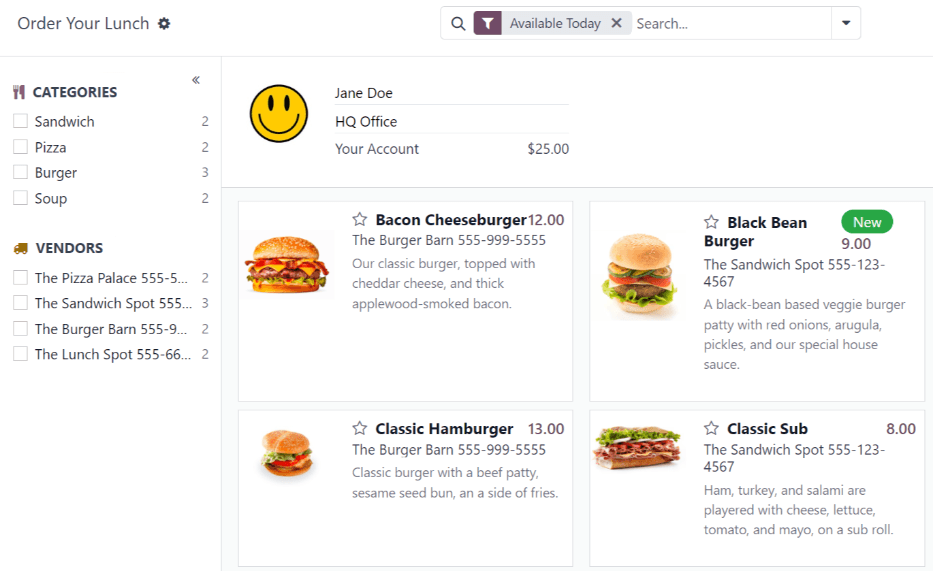
- Daily Menu: Show the products available today from each vendor, grouped by category.
- Quick Ordering: Let employees build their order with toppings and notes in a few clicks.
- Vendor Settings: Set each vendor’s availability, order deadline and delivery location.
- Order Control: Review, confirm and send the day’s orders to every vendor from one screen.
- Employee Accounts: Track each employee’s lunch balance, payments and cash moves.
Make team lunches simple to order and easy to manage with Odoo Lunch.
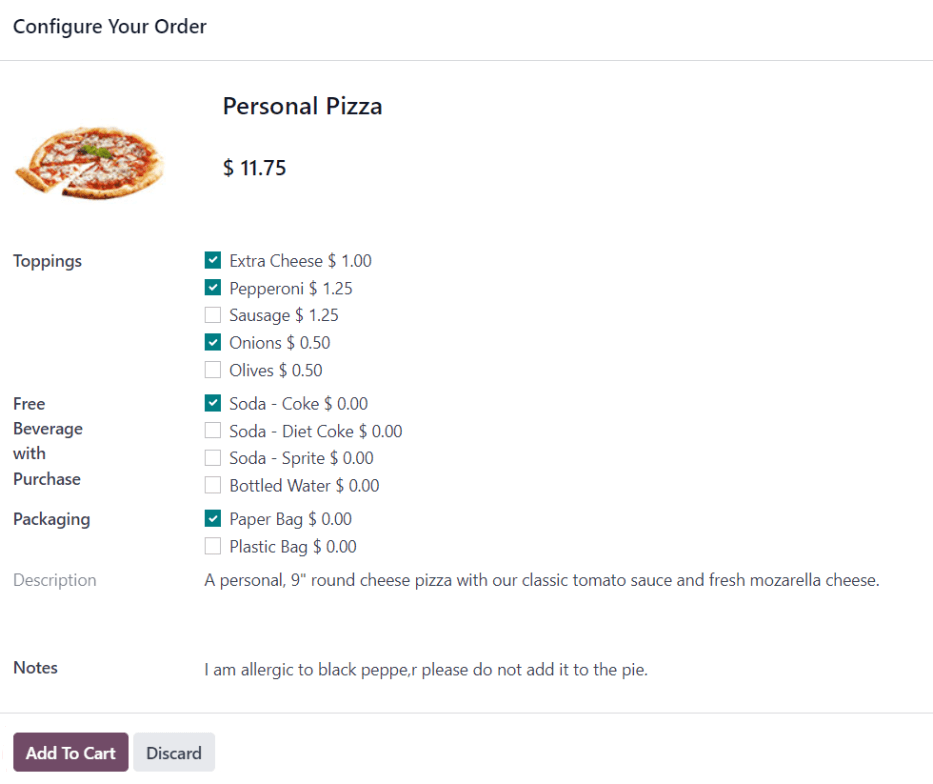
Product configured with toppings before adding it to the order
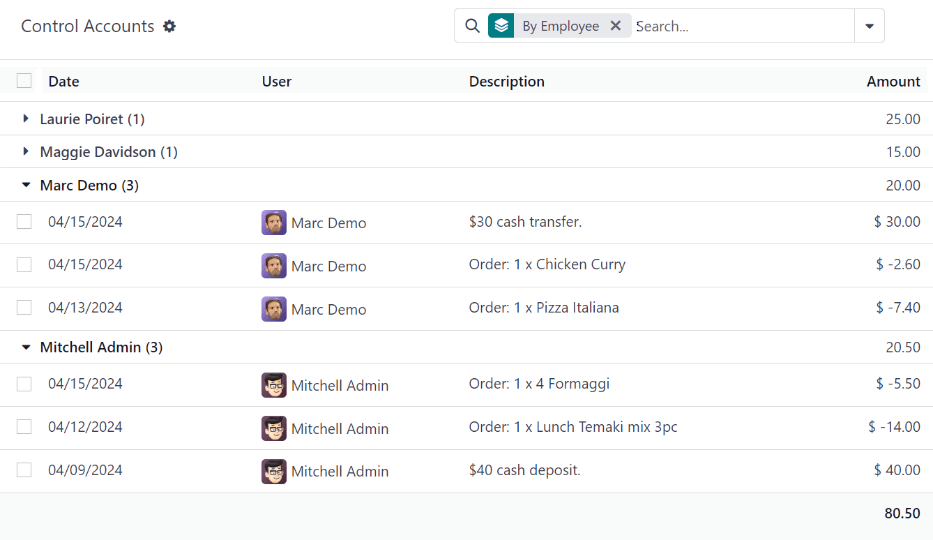
Employee lunch accounts and cash moves
Next step
Ready to simplify HR for your team?
Our team plans, configures and supports your Odoo apps so they fit the way you work.
Prefer to talk? 786-258-1088 • [email protected]
Odoo Community applications