Connected business systems · Odoo Community
Manufacturing, Maintenance & Repairs with Odoo
Plan production, keep equipment running and turn every repair into a tracked, billable job.
Apps on this page
App 01 · Odoo Community
 Repairs
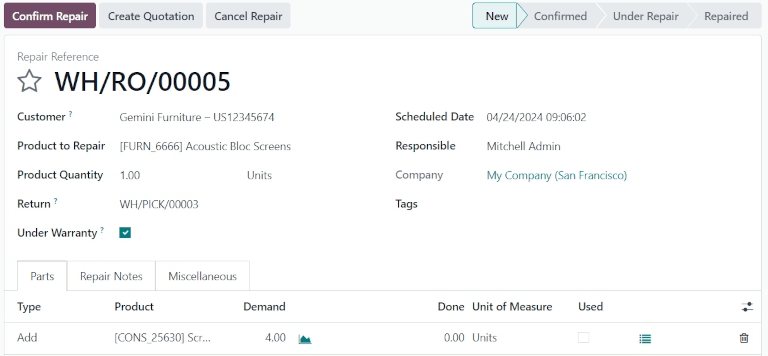
Turn every repair into a tracked job, from the moment an item comes in until it goes back to the customer. Odoo’s Repairs application connects each repair with your inventory and sales, you can:
- Repair Orders: Record the product, customer, responsible person and scheduled date in one clear form.
- Parts Added, Removed or Recycled: List the parts used on each job and let Odoo record the matching stock moves.
- Warranty Tracking: Flag repairs under warranty so covered work is not charged to the customer.
- Quotations for Repairs: Turn the parts and labor of a repair into a quotation the customer can approve.
- Notes and Returns: Keep repair notes on the order and link the return of the item to its original delivery.
Fix faster and bill every repair accurately with Odoo Repairs.
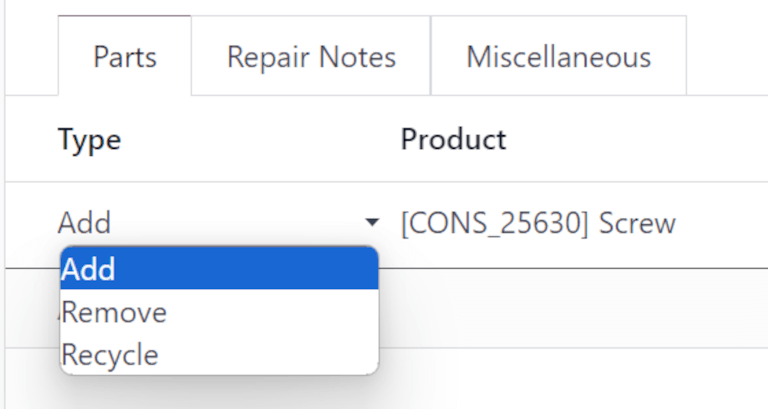
Add, remove or recycle parts on a repair order
App 02 · Odoo Community
 Maintenance
Keep tools, vehicles and equipment working instead of waiting for them to break. Odoo’s Maintenance application organizes every request and every piece of equipment. Key features include:
- Equipment Register: Keep each machine or tool with its category, location, vendor, serial number and assigned team.
- Corrective and Preventive Requests: Log breakdowns as they happen and schedule recurring preventive work.
- Kanban Pipeline: Follow requests from New to In Progress to Repaired, by maintenance team.
- Maintenance Calendar: See planned interventions on a calendar so work does not collide with operations.
- Reliability Indicators: Odoo calculates the mean time between failures and the expected next failure for each piece of equipment.
Reduce downtime and protect your equipment with Odoo Maintenance.
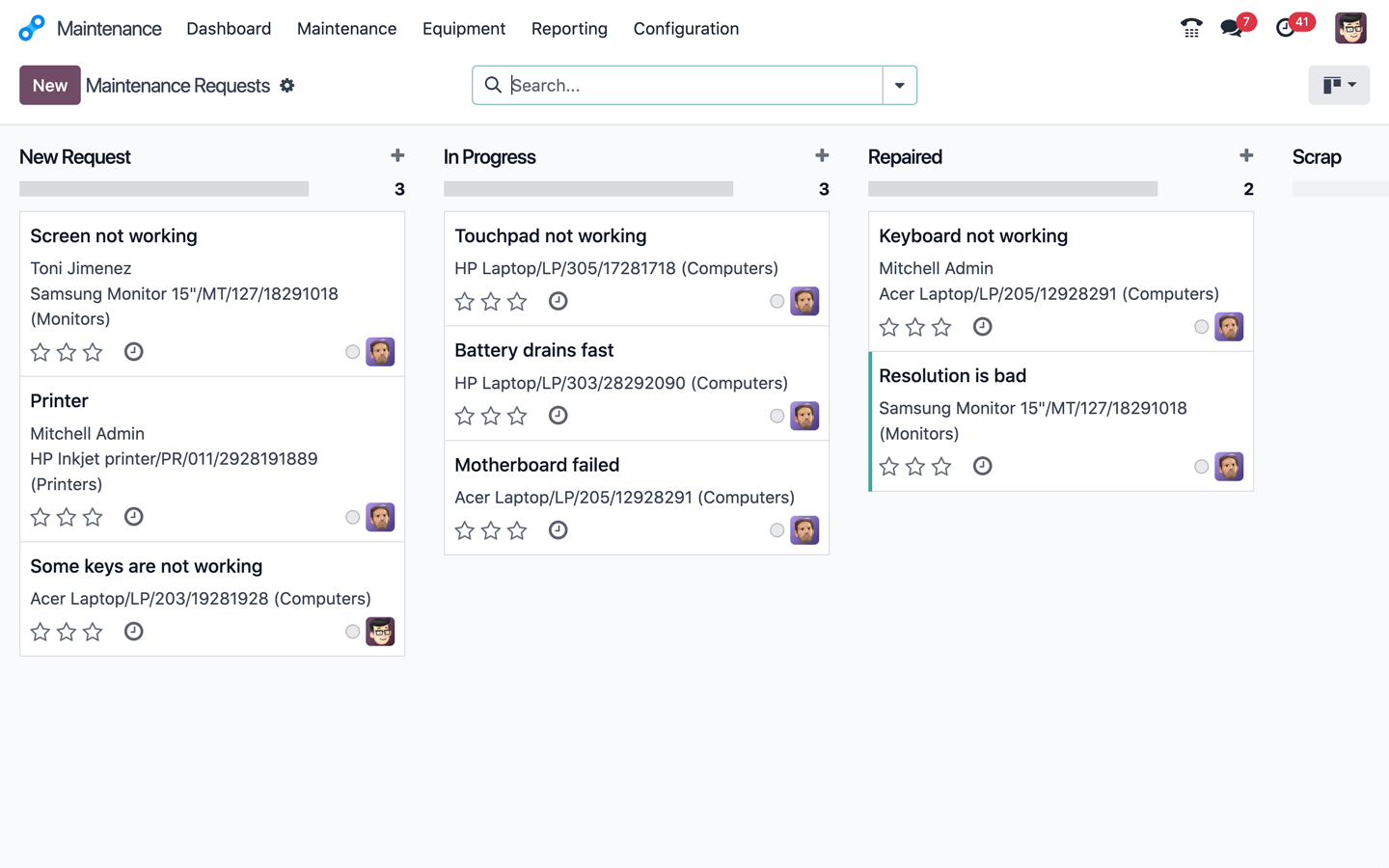
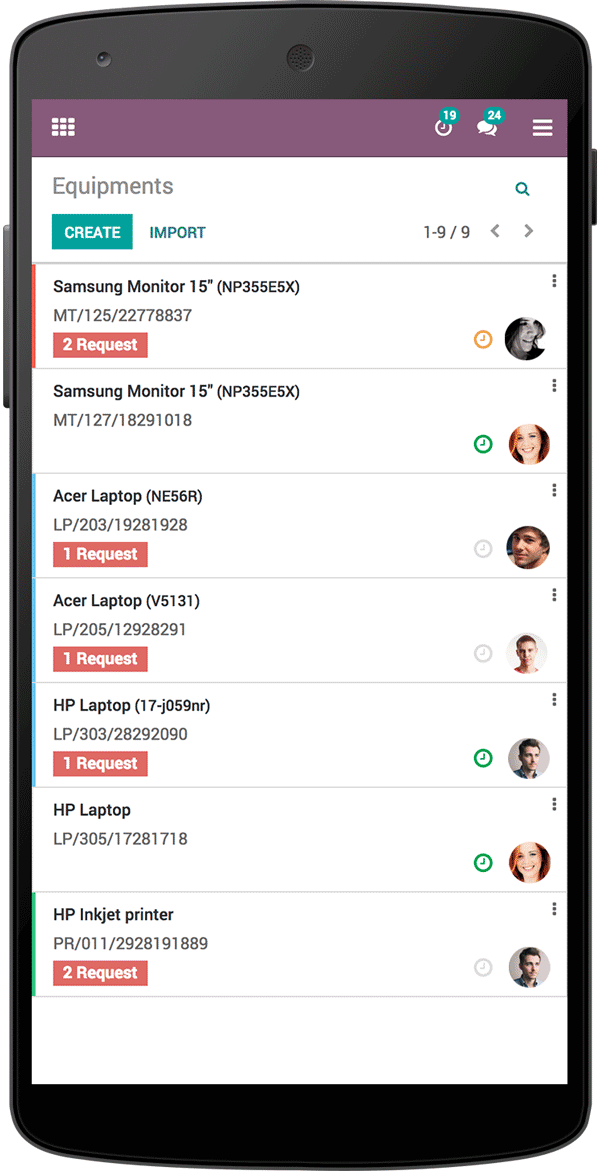
Maintenance requests on a mobile phone
App 03 · Odoo Community
 Manufacturing
Plan what you build, check what you need and track every step from components to finished product. Odoo’s Manufacturing application connects production with inventory and purchasing. Key features include:
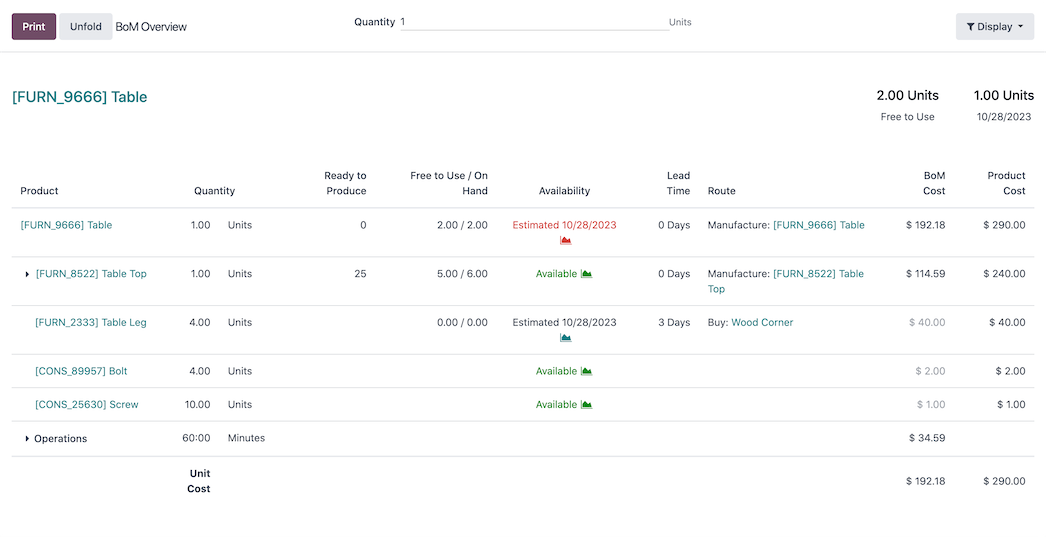
- Bills of Materials: Define the components, quantities and operations required for each product, including kits.
- Manufacturing Orders: Launch production, reserve components and record the quantities produced.
- Work Centers and Operations: Describe where and how each step is performed, with its expected time.
- Component Availability: See which materials are ready, missing or on the way before you start a job.
- Product Costing: Compare the cost of the bill of materials with the product cost to protect your margins.
Produce with confidence and full traceability with Odoo Manufacturing.
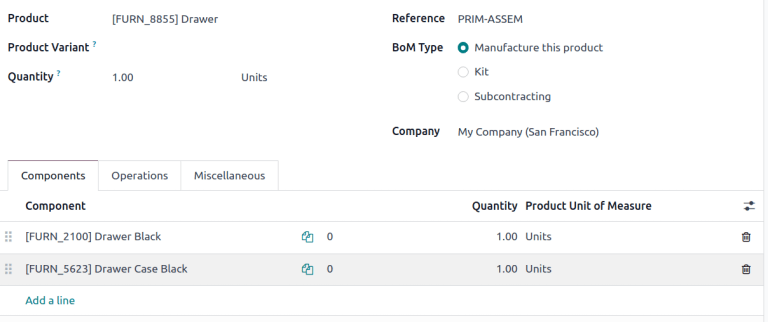
Bill of materials with its components
Next step
Ready to take control of production, maintenance and repairs?
Our team plans, configures and supports your Odoo apps so they fit the way you work.
Prefer to talk? 786-258-1088 • [email protected]
Odoo Community applications