Connected business systems · Odoo Community
Operations Management with Odoo
Deliver on time, buy smarter and keep every project on track and profitable.
Apps on this page
App 01 · Odoo Community
 Inventory
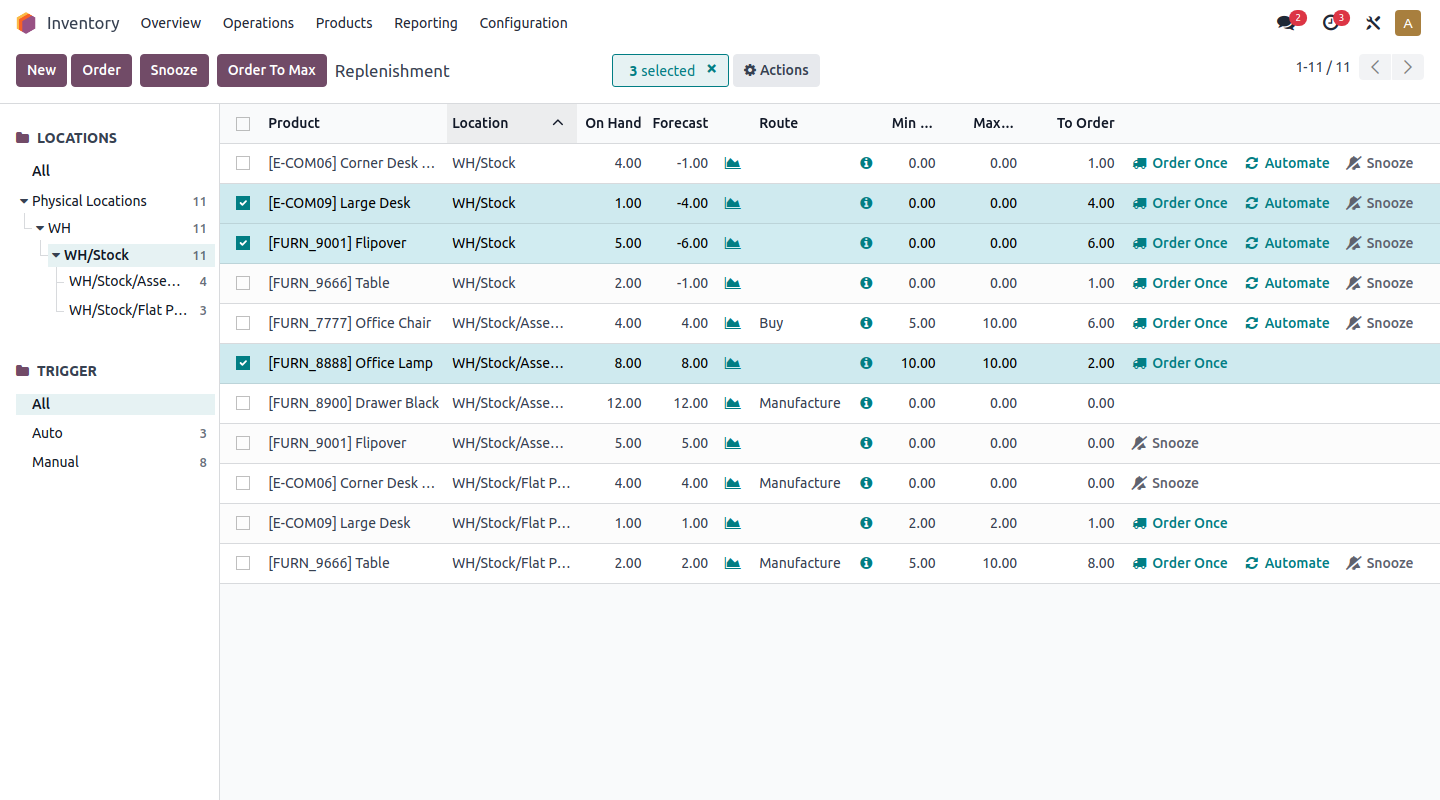
Never run out of stock and never overstock. Odoo’s Inventory application gives you real-time visibility and control over every product movement, you can:
- Real-Time Stock Levels: Know what you have and where it is, across one or several warehouses.
- Smart Replenishment: Min/max reordering rules and make-to-order routes trigger purchases automatically.
- Routes and Put-Away Rules: Configure one- or multi-step receipts and deliveries and store each product in the right place.
- Lots and Serial Numbers: Trace every item from supplier to customer.
- Batch and Wave Transfers: Group pickings to prepare more orders with the same team.
- Inventory Valuation: Value stock using FIFO, average cost or standard price.
Run a leaner, faster warehouse with Odoo Inventory.
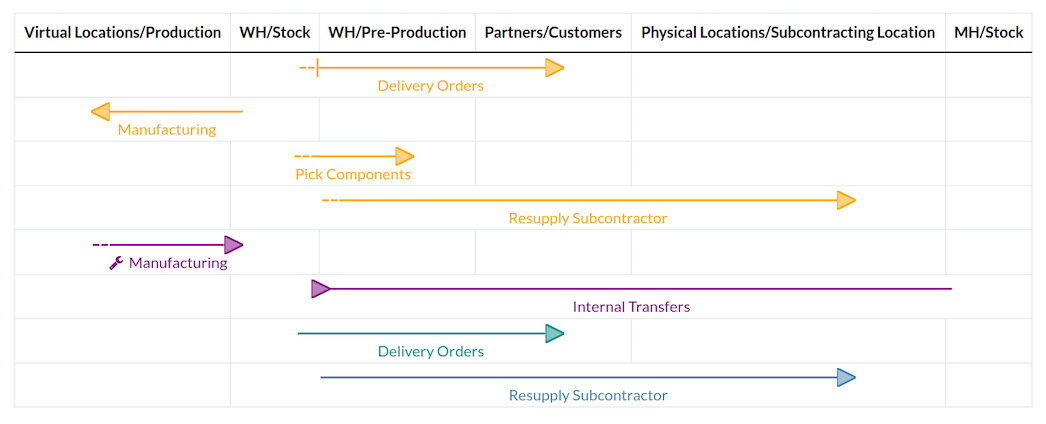
Multi-step routes between warehouse locations
App 02 · Odoo Community
 Purchase
Buy the right quantity at the right price. Odoo’s Purchase application streamlines procurement from request for quotation to vendor bill. Key features include:
- RFQs and Purchase Orders: Create, send and confirm orders to your vendors in a few clicks.
- Automated Replenishment: Reordering rules generate RFQs for you based on real-time stock.
- Purchase Agreements: Use blanket orders and alternative RFQs to secure the best prices.
- Bill Control: Pay based on ordered or received quantities, so you only pay for what you get.
- Vendor Pricelists and Analysis: Keep supplier prices and lead times up to date and measure vendor performance.
Cut procurement costs and delays with Odoo Purchase.
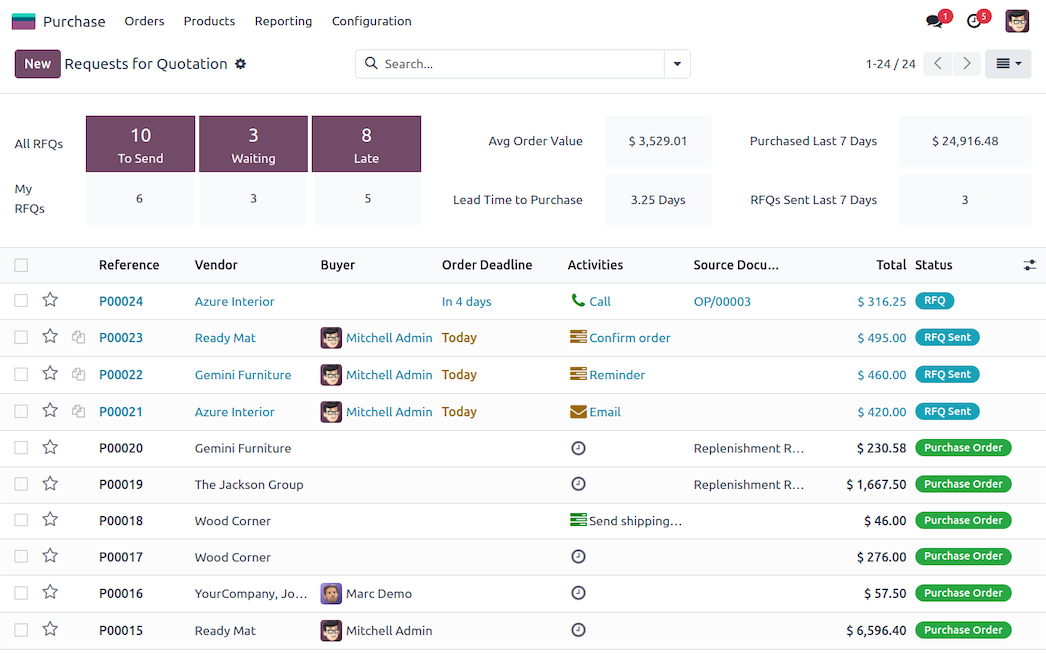
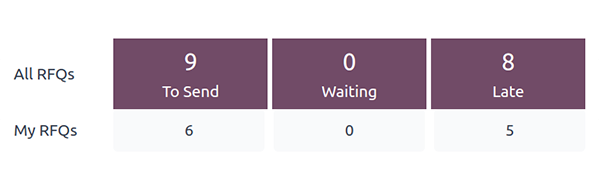
Purchase dashboard
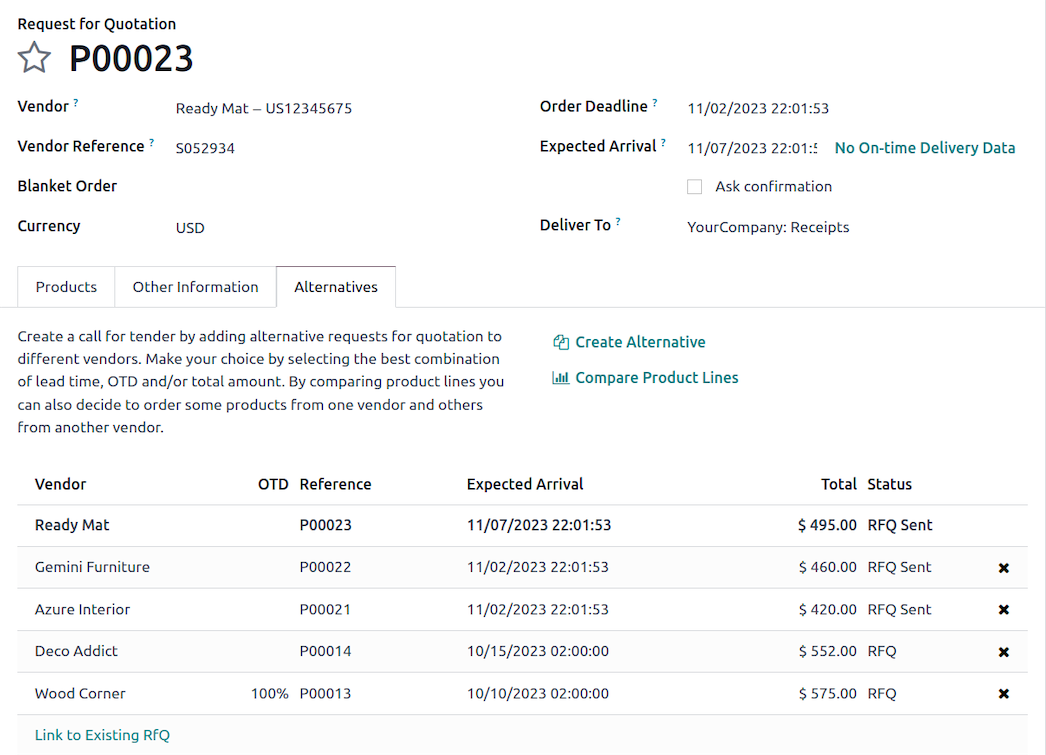
Request for quotation with alternatives
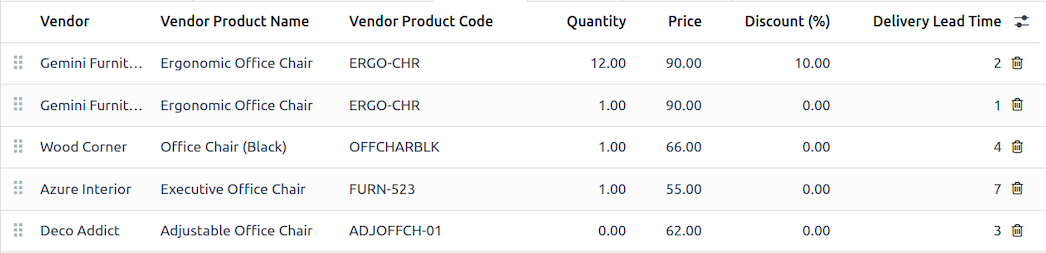
Vendor product lines and prices
App 03 · Odoo Community
 Project
Deliver projects on time and on budget. Odoo’s Project application organizes your team’s work in a way everyone understands. Features include:
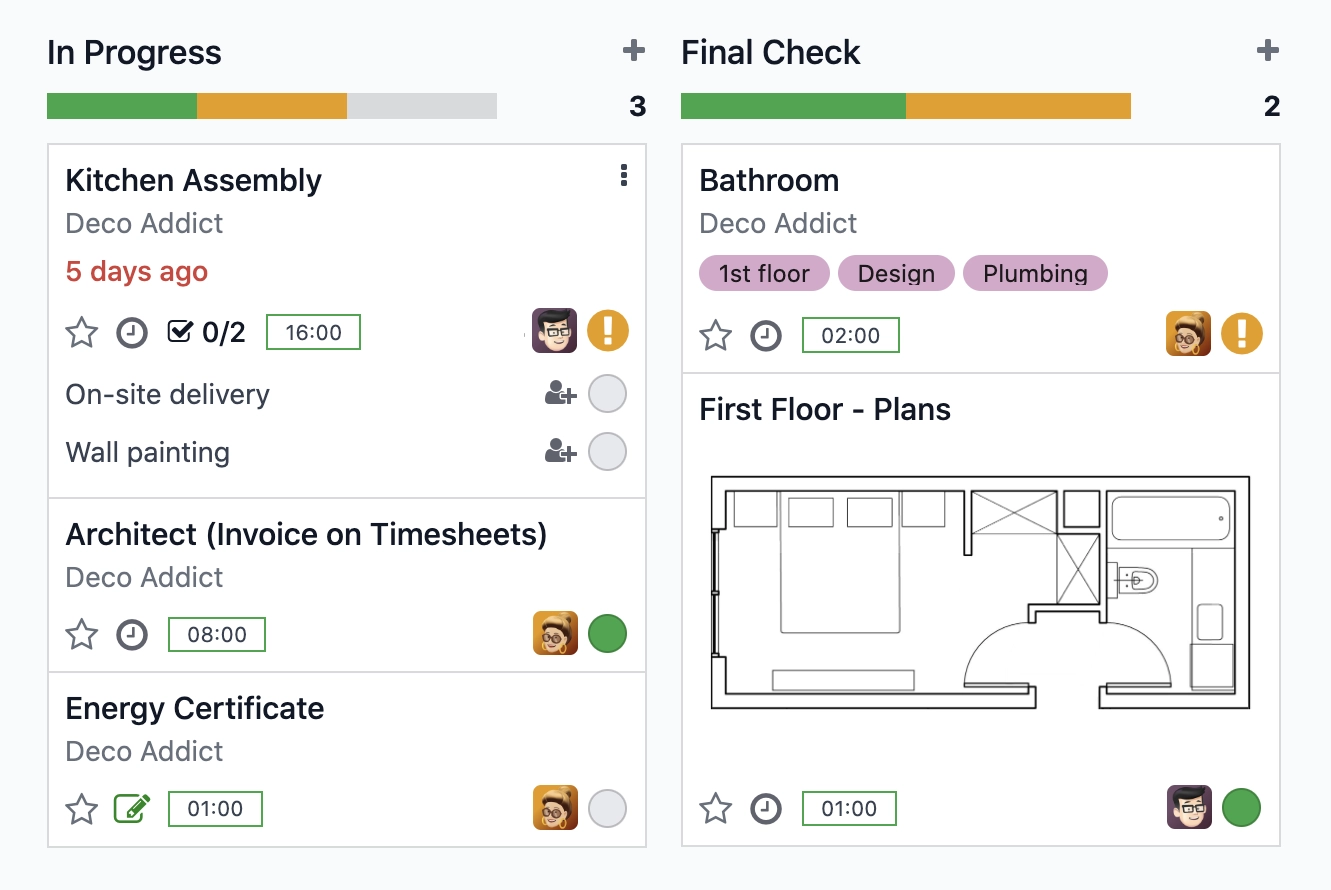
- Kanban, List and Calendar Views: Organize tasks by stage and move them as work progresses.
- Tasks, Sub-tasks and Dependencies: Break work down, block tasks until others are done and schedule recurring tasks.
- Milestones and Project Updates: Track key deliverables and share regular status updates.
- Customer Collaboration: Share projects with customers through the portal and discuss each task in one place.
- Billing Your Way: Combined with Sales, invoice at fixed price, by milestone or by time spent.
Keep every project under control and your clients in the loop with Odoo Project.
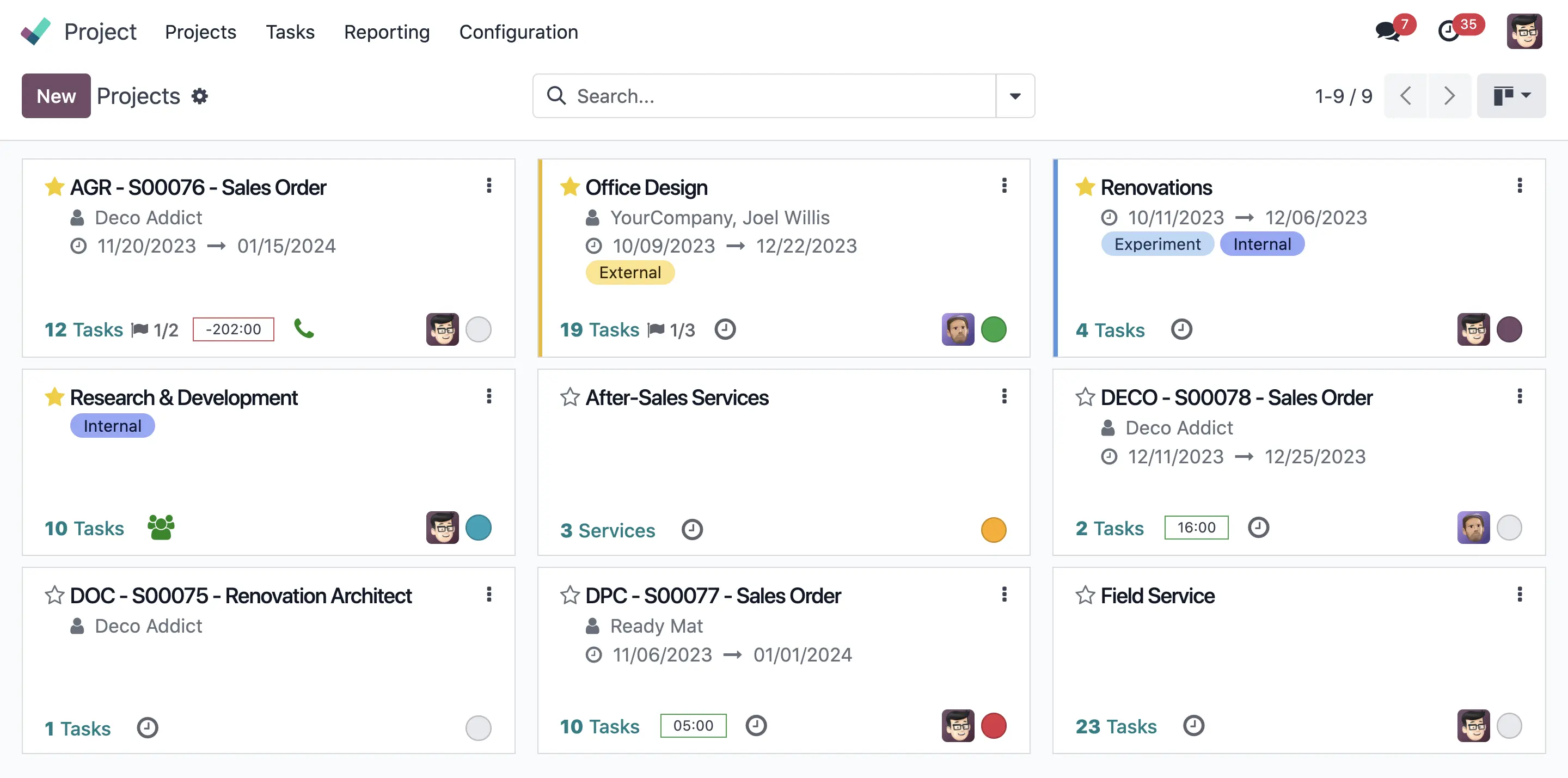
Projects overview in Odoo
App 04 · Odoo Community
 Timesheets
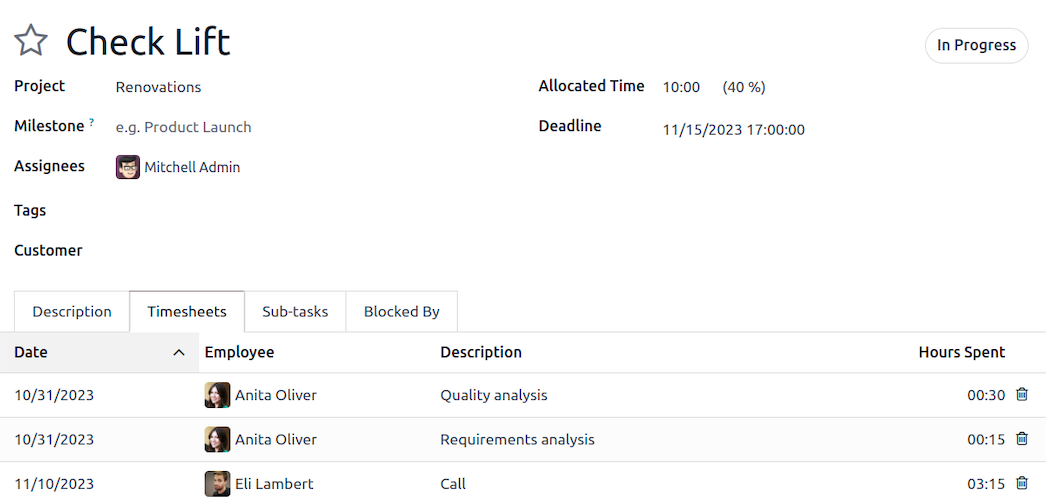
Know where your team’s time goes. Time is logged directly on project tasks, so tracking becomes part of the daily work:
- Log Time on Tasks: Record hours on the task you worked on, with a short description.
- Allocated vs. Spent Hours: Compare planned hours with time spent and see what remains.
- Time-Based Invoicing: Bill customers for the hours logged on their projects.
- Cost Tracking: Employee hourly costs feed your project costs automatically.
- Reporting: Analyze time by employee, project or task.
Turn time into accurate invoices and better estimates with Odoo.
App 05 · Odoo Community
 Fleet
Fleet
Know where every vehicle is, who drives it and what it costs to keep on the road. Odoo’s Fleet application brings trucks, vans and company cars into one register, you can:
- Vehicle Register: Store model, license plate, driver, odometer and status for each vehicle.
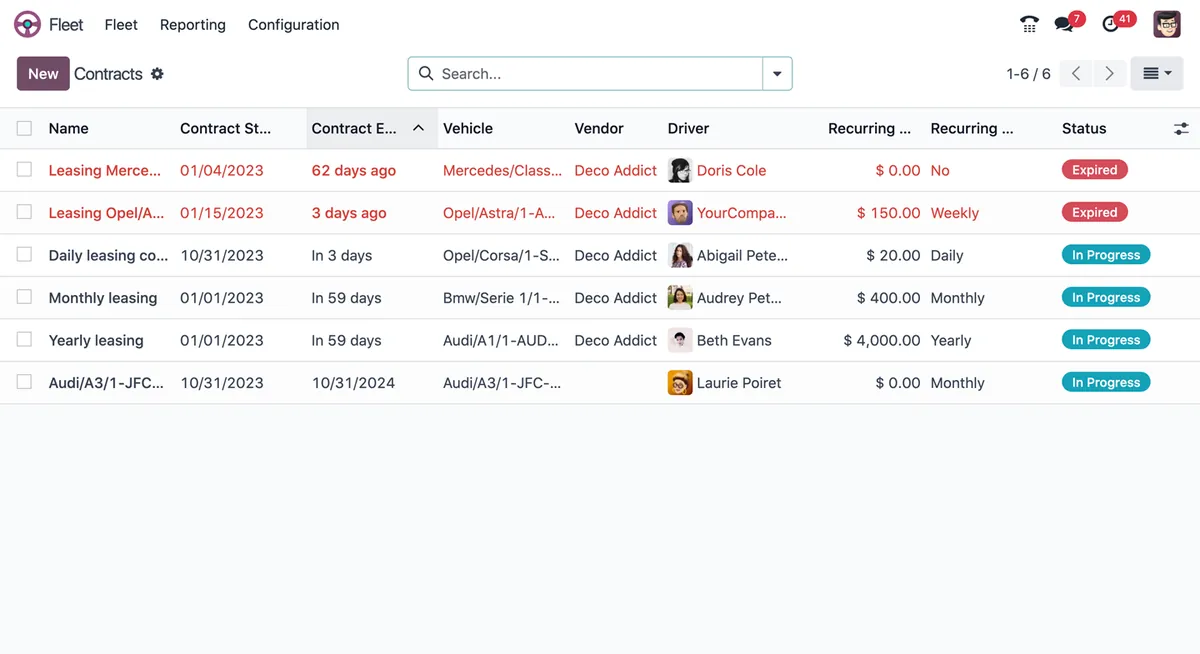
- Contracts and Leasing: Track leasing, insurance and service contracts and get reminded before they expire.
- Services Log: Record repairs and services with their vendor, date and cost.
- Driver History: Keep the history of drivers assigned to each vehicle.
- Cost Analysis: Report on contract and service costs by vehicle to decide when to replace or renew.
Keep every truck and crew vehicle under control with Odoo Fleet.
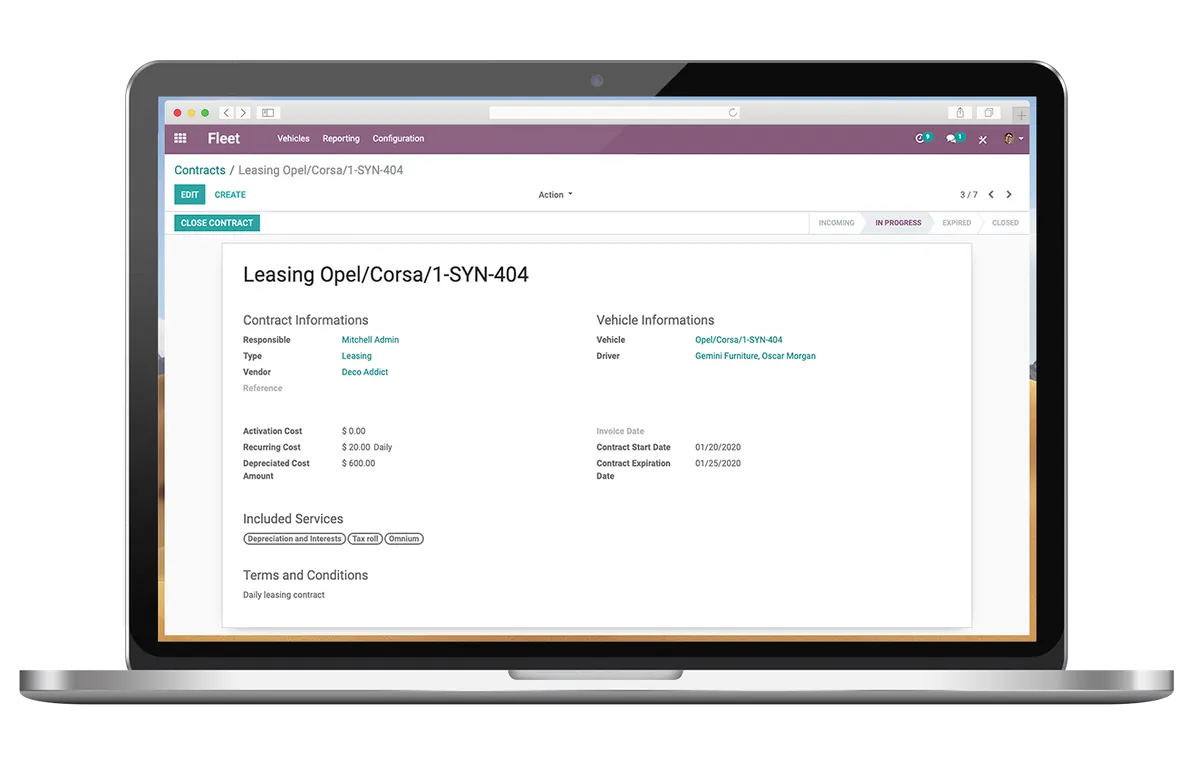
Leasing contract for a vehicle
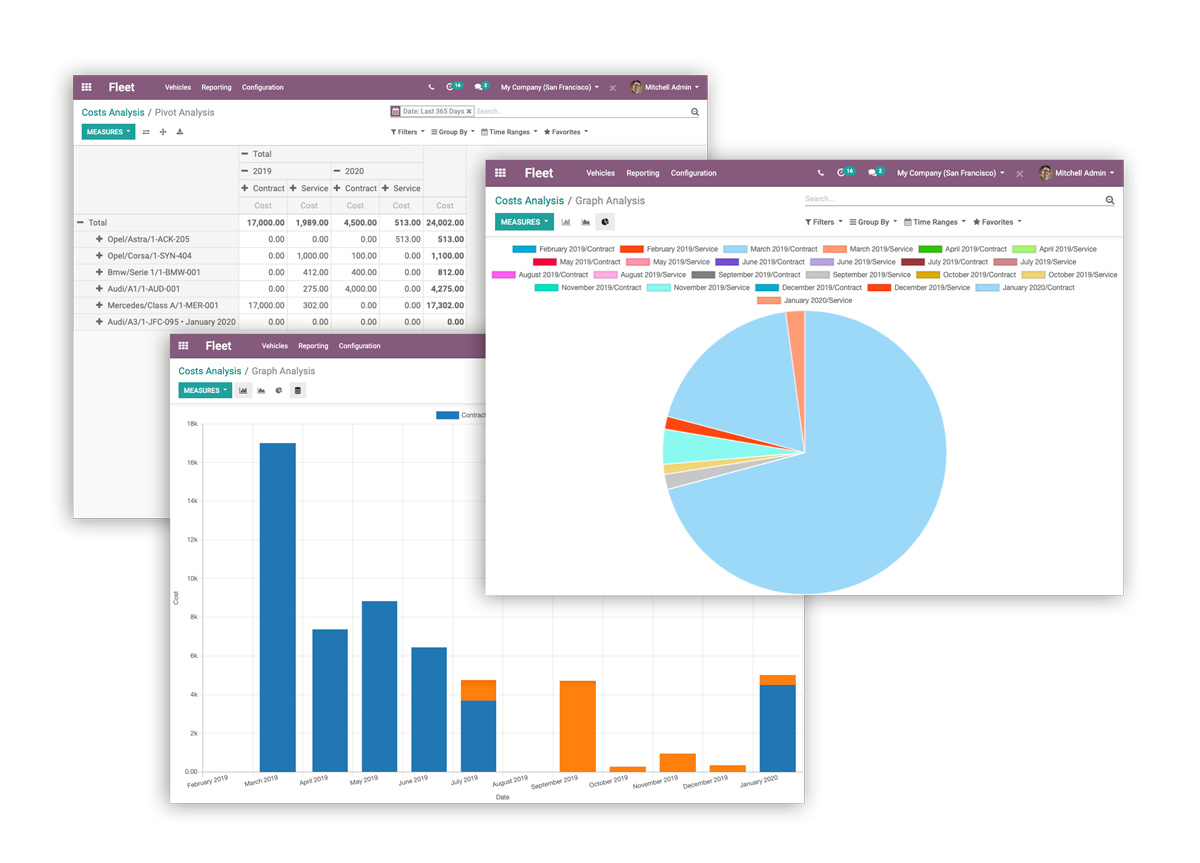
Fleet cost reports
Next step
Ready to streamline your operations?
Our team plans, configures and supports your Odoo apps so they fit the way you work.
Prefer to talk? 786-258-1088 • [email protected]
Odoo Community applications