Connected business systems · Odoo Community
Website & eCommerce with Odoo
Build your website, sell online, talk with visitors in real time and train people, all from the same site that runs on your Odoo.
Apps on this page
App 01 · Odoo Community
 Website Builder
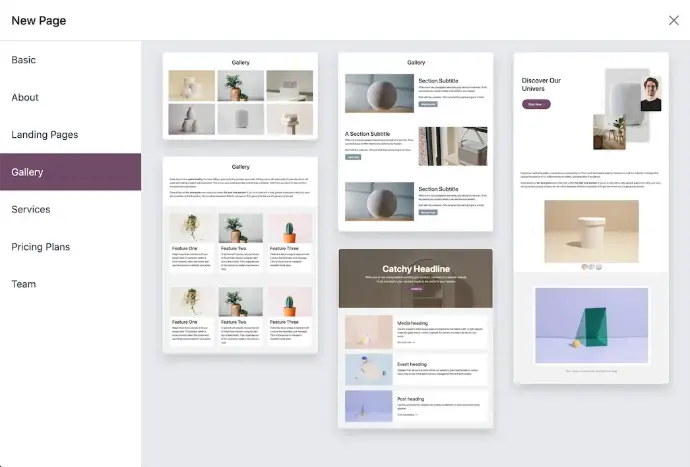
Give your business a professional website that your own team can update, without code. Odoo’s Website application runs on the same database as the rest of your Odoo, you can:
- Guided Setup: Enter your logo, choose the features you need and a theme; Odoo proposes a first layout and content for your industry.
- Drag-and-Drop Building Blocks: Assemble pages from ready-made blocks and page templates, then edit text, images and animations in place.
- Mobile-Ready Pages: Every page adapts to phones and tablets, and you decide what is shown on mobile.
- Multilingual Content: Add languages and translate each page directly on the site.
- Built-in SEO and AI Writing: Set titles, descriptions and keywords per page, and let the AI assistant draft or rephrase your copy.
- Connected to Your Business: Forms feed your CRM, and the same site can add eCommerce, Live Chat, eLearning, Events or Online Jobs.
Launch and keep your company website up to date with Odoo Website.
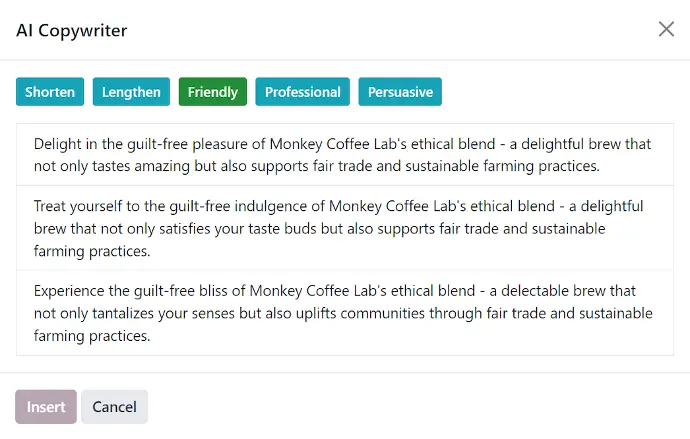
AI assistant rewriting website copy in different tones
App 02 · Odoo Community
 eCommerce
Open an online store that shares products, stock and customers with the rest of your business. Odoo’s eCommerce application runs on your Odoo website, you can:
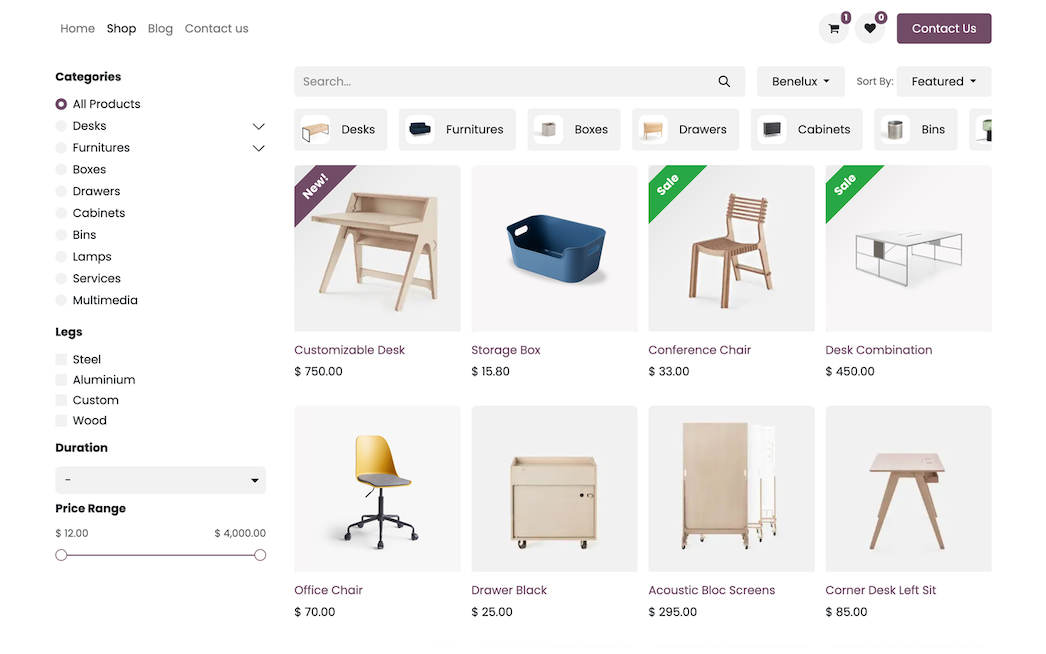
- Product Catalog: Publish products with variants, photos, descriptions and categories customers can filter.
- Shopping Cart and Checkout: Let customers order and pay online with the payment providers you choose.
- Connected Inventory: Orders reserve stock and create deliveries in the same system that runs your warehouse.
- Customer Reviews: Show ratings and comments on product pages to build trust.
- Sales Reporting: Analyze online orders, revenue and best-selling products over time.
Sell online without double entry with Odoo eCommerce.
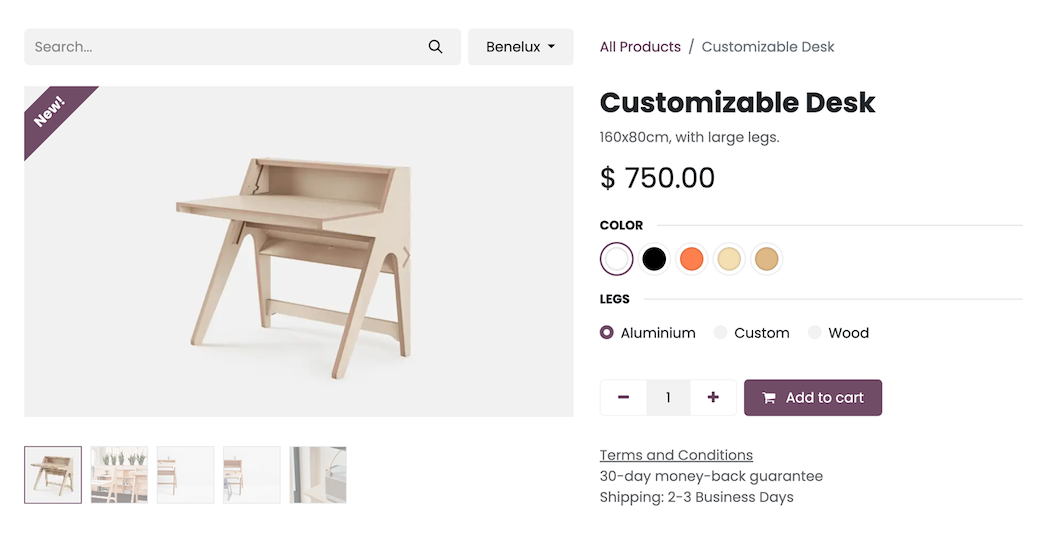
Product page with variants and add to cart
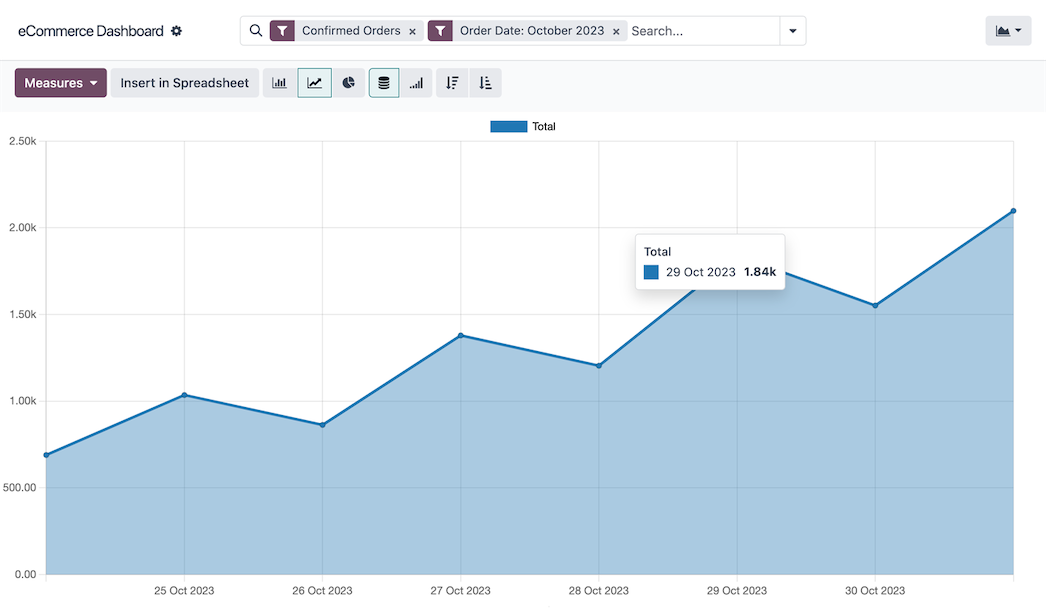
Online sales analysis
App 03 · Odoo Community
 Live Chat
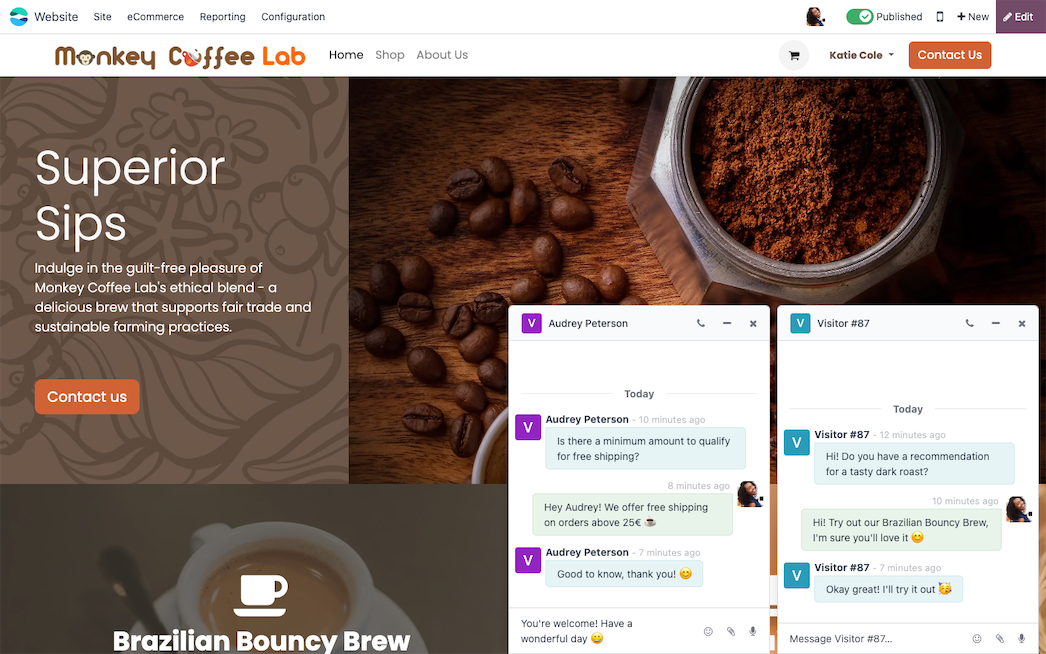
Answer website visitors while they are still deciding. Odoo’s Live Chat application puts a chat window on your website and routes conversations to your team. Key features include:
- Website Chat Window: Invite visitors to start a conversation from any page of your site.
- Operator Channels: Group your agents in channels and share the conversations between them.
- Chatbots: Build simple scripted bots that greet visitors, ask questions and collect contact details.
- Canned Responses: Reply faster with saved answers to the most common questions.
- Ratings and History: Collect visitor ratings and keep the transcript of each conversation.
Turn website visitors into conversations with Odoo Live Chat.
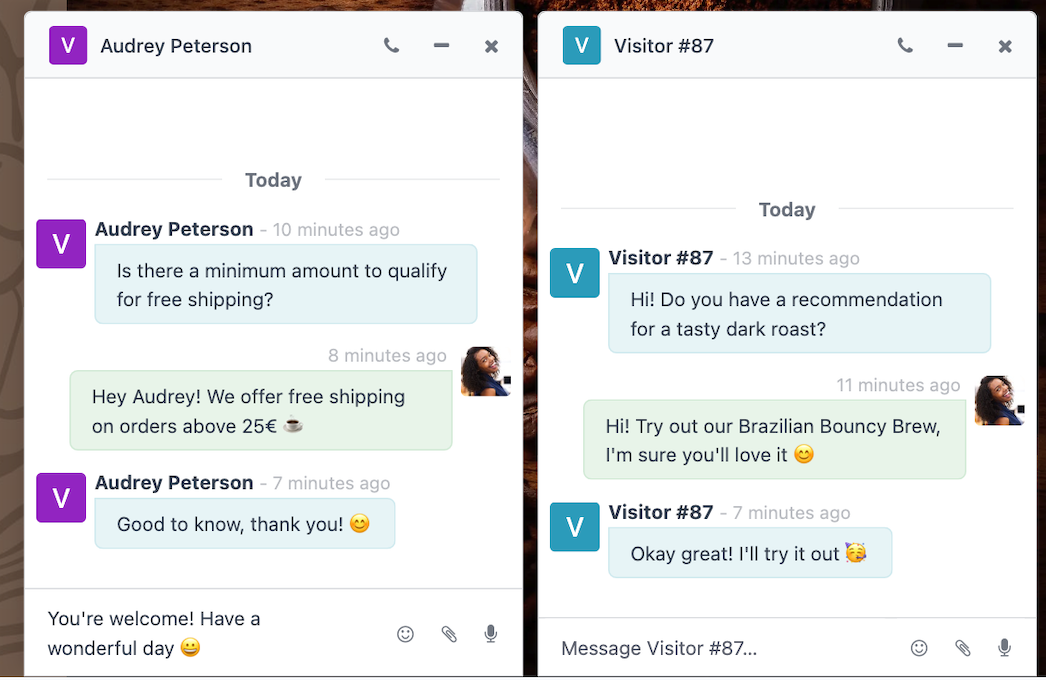
Operators answering several visitors at once
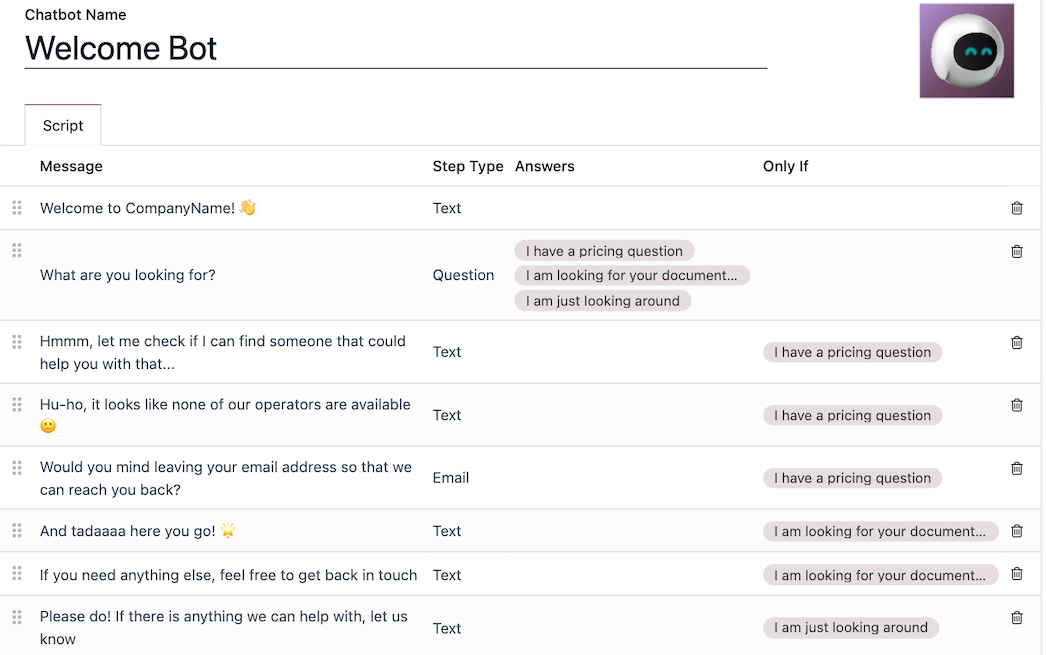
Chatbot script with its steps
App 04 · Odoo Community
 eLearning
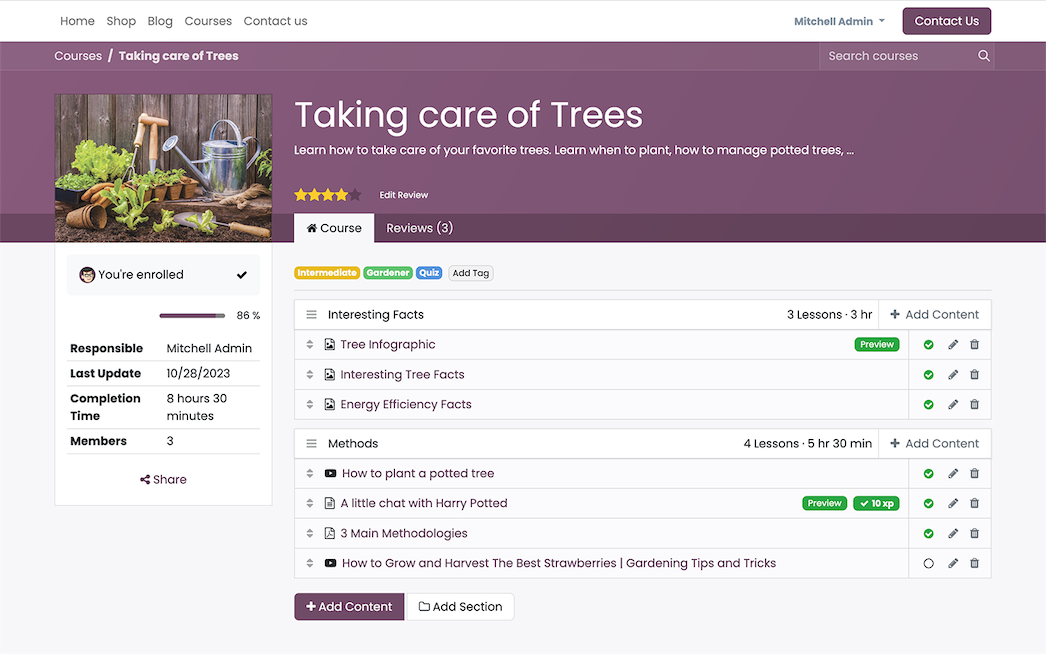
Train employees, customers or partners with online courses published on your own website. Odoo’s eLearning application lets you build and follow every course, you can:
- Course Builder: Organize videos, documents, articles and web pages into sections and lessons.
- Quizzes and Certifications: Check what learners understood with quizzes and certify them with Odoo Surveys.
- Learner Progress: See who enrolled, who is progressing and who completed each course.
- Gamification: Reward learners with points and badges as they complete content.
- Access Control: Make courses public, reserved to invited people or available after payment.
Share knowledge and onboard people faster with Odoo eLearning.
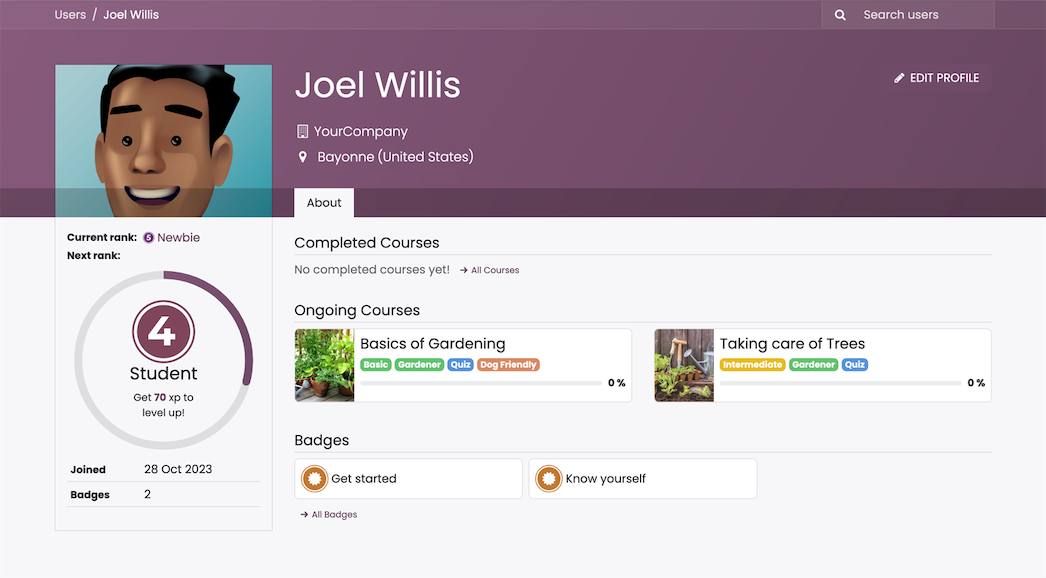
Learner profile with progress and badges
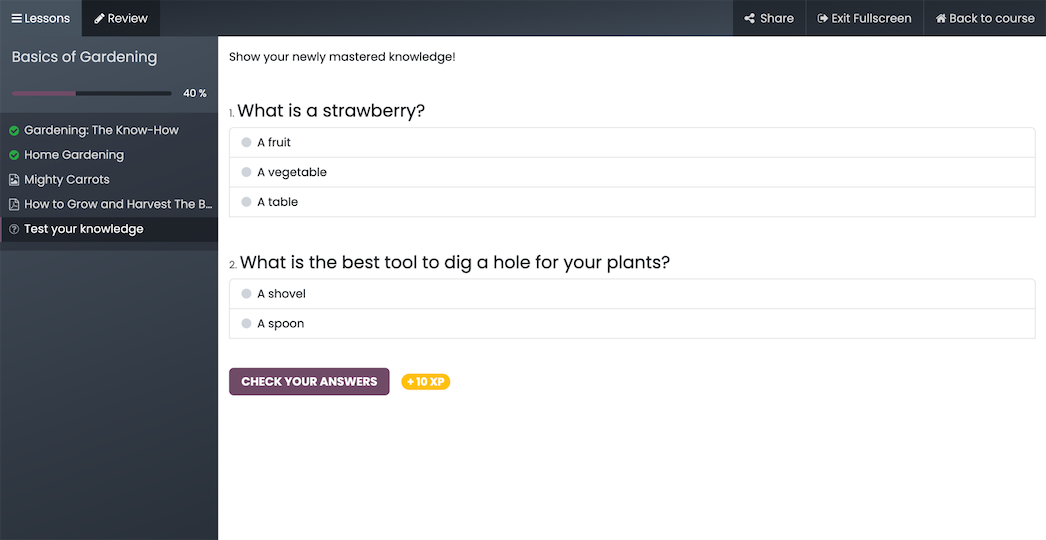
Quiz at the end of a lesson
Next step
Ready to grow your business online?
Our team plans, configures and supports your Odoo apps so they fit the way you work.
Prefer to talk? 786-258-1088 • [email protected]
Odoo Community applications