Sistemas de negocio conectados · Odoo Community
Herramientas de productividad con Odoo
Mantén a tu equipo conectado, organizado y enfocado en el trabajo que importa.
App 01 · Odoo Community
 Conversaciones
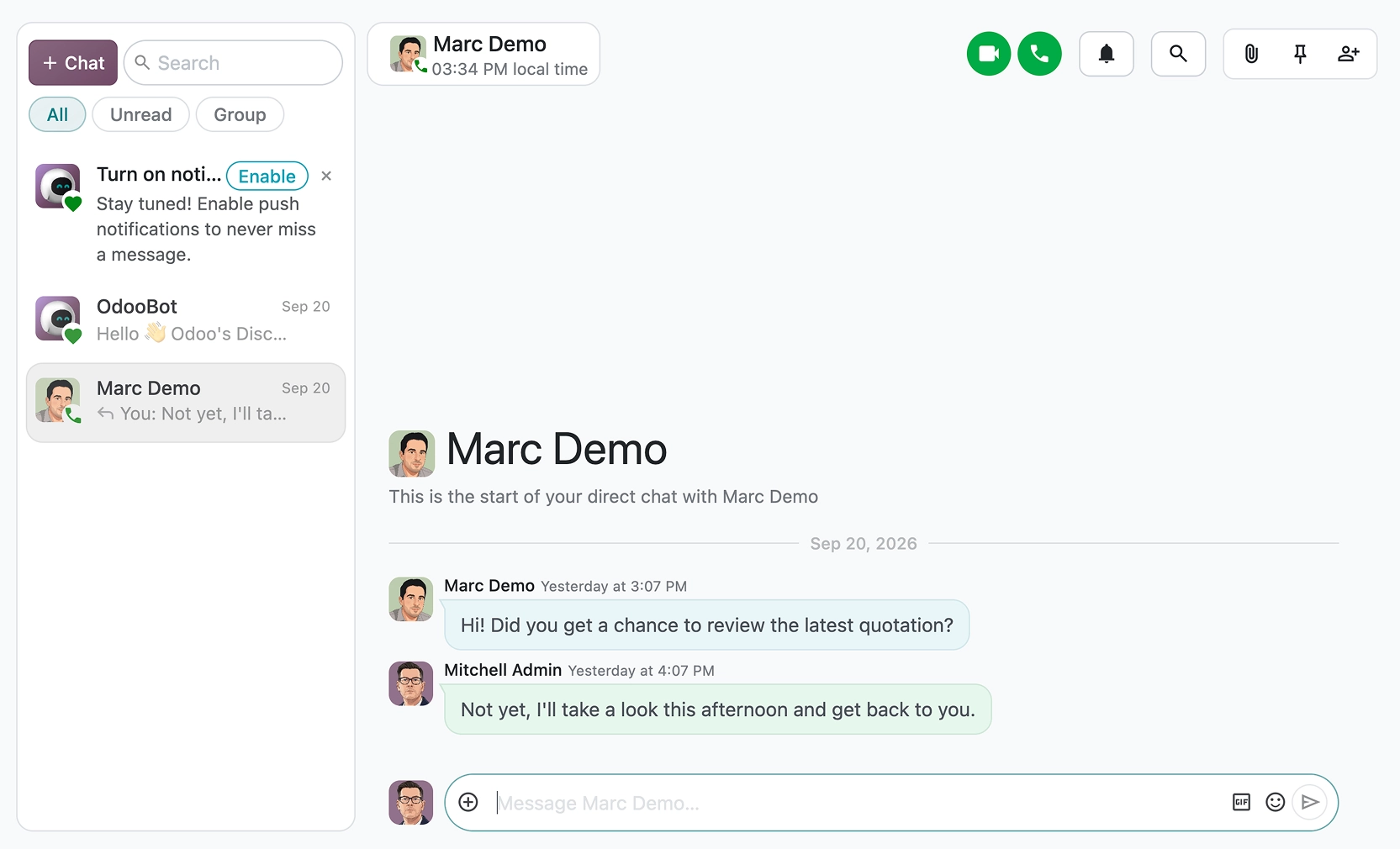
Lleva cada conversación a tu espacio de trabajo. La aplicación Conversaciones de Odoo conecta a tu equipo mediante chat, canales y llamadas. Con ella puedes:
- Canales y mensajes directos: Crea canales de equipo o chatea uno a uno con tus compañeros.
- Conversaciones en cada registro: Conversa sobre una cotización, una tarea o una factura justo donde ocurre el trabajo, con menciones y seguidores.
- Llamadas de voz y video: Inicia una llamada o comparte tu pantalla con un clic.
- Archivos compartidos: Adjunta y previsualiza documentos en cualquier conversación.
- Puerta de enlace de correo: Responde mensajes de Odoo desde tu buzón y conserva todo el historial en un solo lugar.
Pierde menos tiempo cambiando de herramienta y dedícalo a sacar el trabajo adelante con Odoo Conversaciones.

Videollamada en Odoo Conversaciones
App 02 · Odoo Community
 Calendario
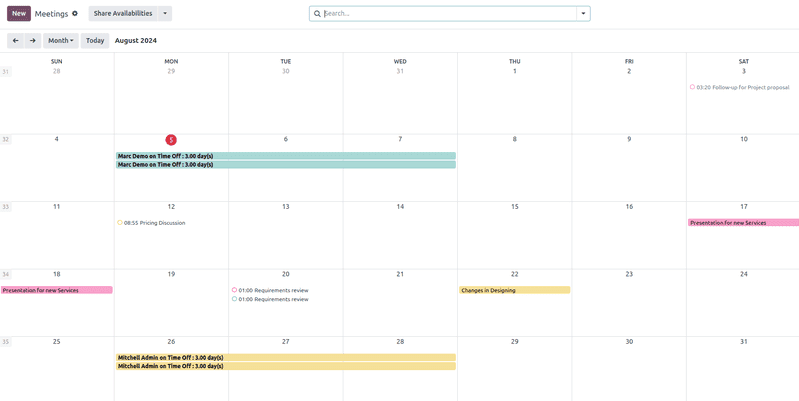
Planifica reuniones sin tanto ir y venir. La aplicación Calendario de Odoo mantiene sincronizada la agenda de todos. Incluye:
- Vistas por día, semana, mes y año: Mira tu agenda y la de tus compañeros con el nivel de detalle que necesites.
- Reuniones e invitaciones: Invita a compañeros y contactos, que reciben invitaciones y recordatorios automáticamente.
- Sincronización con Google y Outlook: Mantén Odoo y tus calendarios actuales alineados.
- Videorreuniones: Agrega un enlace de videollamada a cualquier evento.
- Conectado con tu negocio: Programa reuniones directamente desde prospectos, tareas o candidatos.
Haz que cada reunión cuente con Odoo Calendario.
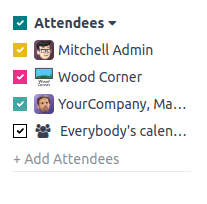
Disponibilidad de los asistentes en el calendario
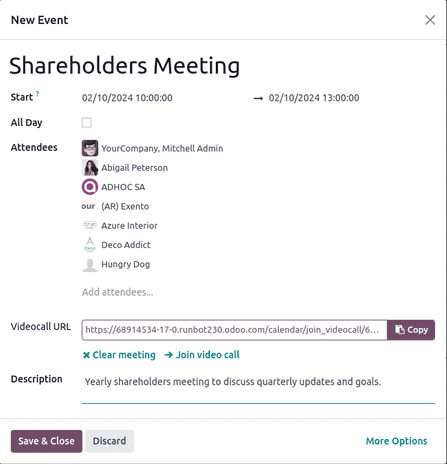
Programación de un evento
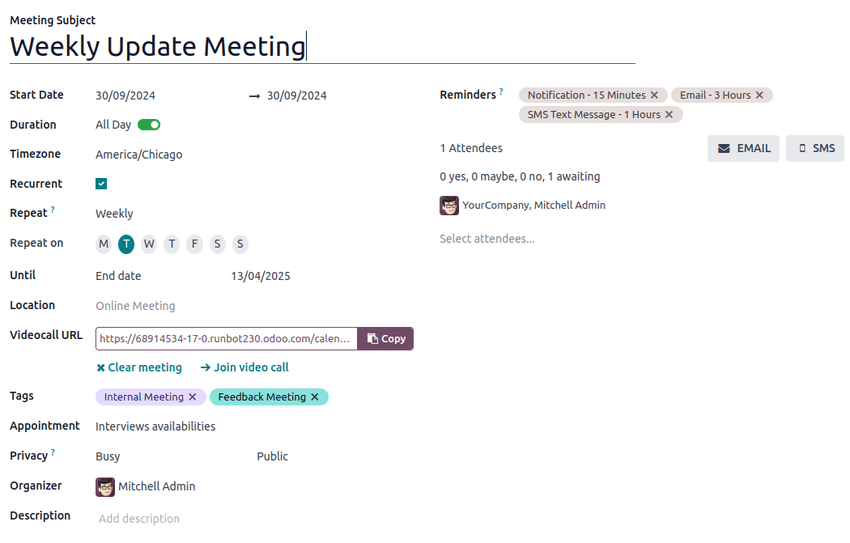
Formulario de nueva reunión
App 03 · Odoo Community
 Pendientes (notas y tareas)
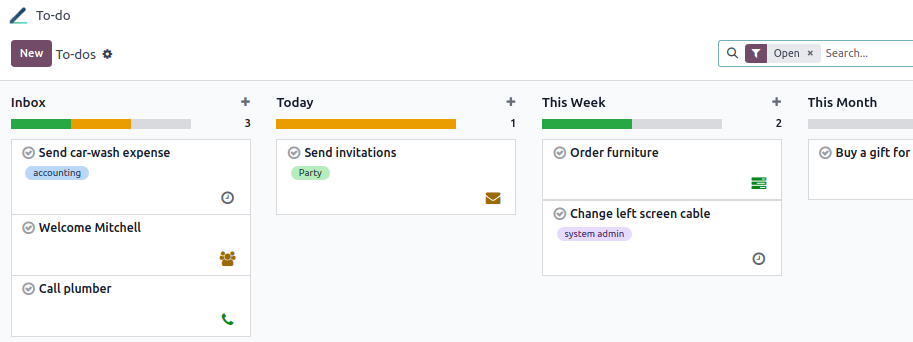
Captura ideas y tareas antes de que se te escapen. La aplicación Pendientes de Odoo reemplaza las notas adhesivas con un tablero personal de tareas que puedes compartir:
- Notas y listas de verificación: Escribe notas con formato, listas de verificación, enlaces e imágenes.
- Etapas personales: Arrastra y suelta tus pendientes por tus propias etapas Kanban.
- Compartir y asignar: Agrega compañeros como responsables para compartir un pendiente con ellos.
- Captura rápida: Crea un pendiente desde cualquier lugar de Odoo con un atajo de teclado.
- Convertir en tareas de proyecto: Convierte un pendiente en una tarea de proyecto cuando crece.
Mantente organizado cada día con Odoo Pendientes.
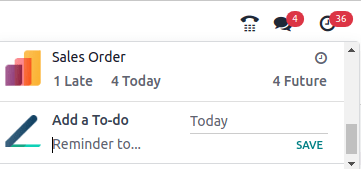
Agregar un pendiente al instante
App 04 · Odoo Community
 Contactos
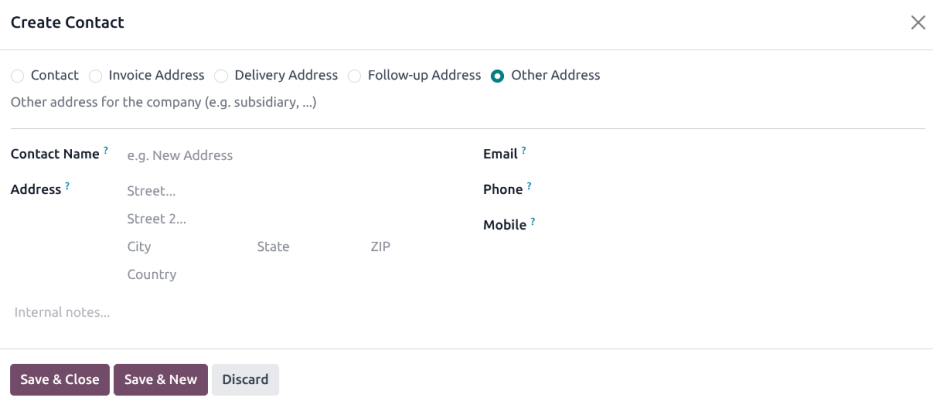
Una sola libreta de direcciones para toda la empresa. La aplicación Contactos de Odoo es la fuente única de verdad de clientes, proveedores y socios:
- Empresas y personas: Vincula a las personas con la empresa donde trabajan.
- Varias direcciones: Guarda direcciones de facturación, entrega y otras para cada contacto.
- Etiquetas y segmentos: Clasifica los contactos para encontrarlos y segmentarlos fácilmente.
- Historial completo: Reuniones, correos, cotizaciones y facturas a un clic de cada contacto.
- Compartido entre apps: CRM, Ventas, Facturación y Compras usan los mismos contactos.
Mantén organizada cada relación con Odoo Contactos.
App 05 · Odoo Community
 Reciclaje de datos
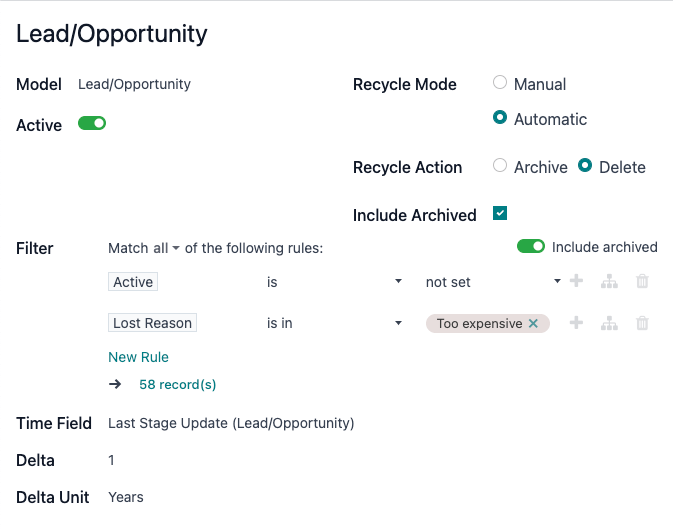
Mantén limpia tu base de datos a medida que crece, sin sesiones de limpieza manual. La aplicación Reciclaje de datos de Odoo encuentra registros obsoletos y los archiva o elimina según reglas. Con ella puedes:
- Reglas de reciclaje: Elige un modelo y las condiciones que definen un registro obsoleto, como prospectos perdidos antiguos.
- Criterios por tiempo: Selecciona registros según hace cuánto se crearon o se actualizaron por última vez.
- Archivar o eliminar: Decide si los registros coincidentes se archivan como referencia o se eliminan.
- Manual o automático: Revisa los registros propuestos antes de actuar, o deja que la regla se ejecute sola.
- Lista de revisión: Valida o descarta cada registro propuesto desde una sola lista.
Mantén tus datos de Odoo ordenados y confiables con Odoo Reciclaje de datos.
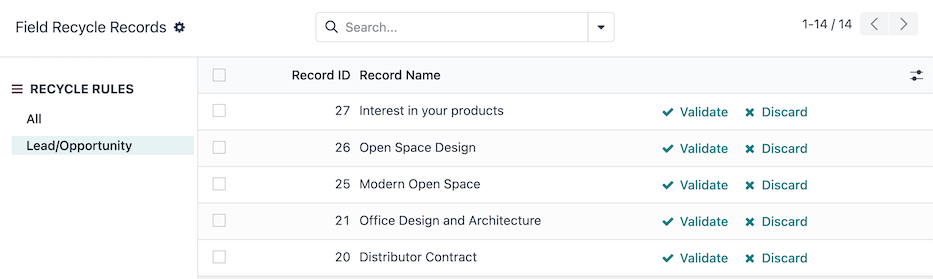
Registros propuestos para reciclar, listos para validar o descartar
Siguiente paso
¿Listo para aumentar la productividad de tu equipo?
Nuestro equipo planifica, configura y da soporte a tus apps de Odoo para que se ajusten a tu forma de trabajar.
¿Prefieres hablar? 786-258-1088 • info@innovansis.com
Aplicaciones de Odoo Community