Sistemas de negocio conectados · Odoo Community
Facturación y finanzas con Odoo
Cobra más rápido, aplica siempre los impuestos correctos y sabe en todo momento a dónde va tu dinero.
Apps en esta página
App 01 · Odoo Community
 Facturación
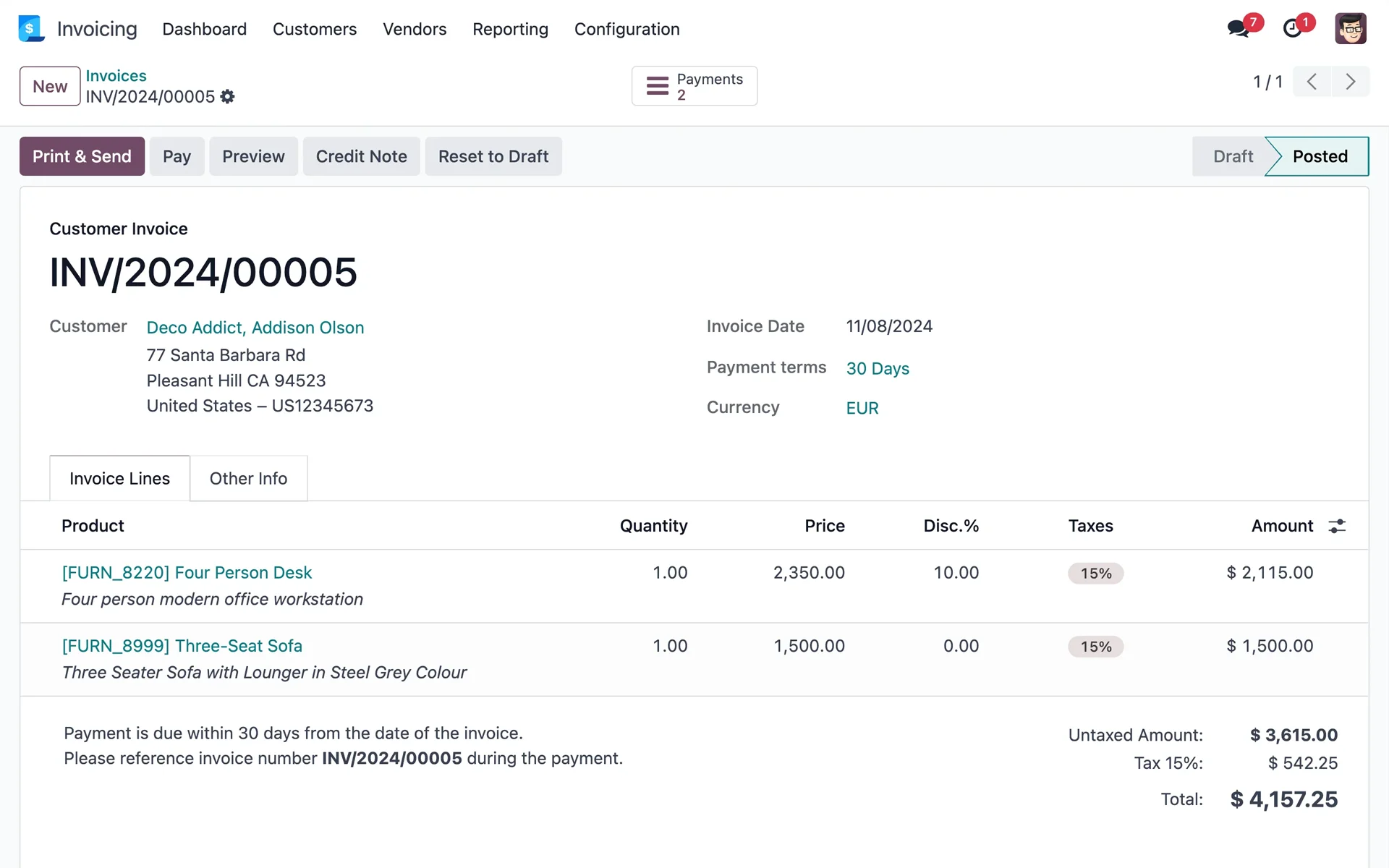
Cobra más rápido y ten tus registros en orden, aunque no seas contador. La aplicación Facturación de Odoo cubre todo el ciclo, de la factura al pago. Con ella puedes:
- Facturas en pocos clics: Cliente, productos, precios e impuestos se completan por ti, o se toman directamente de tus órdenes de venta.
- Facturas de proveedores y notas de crédito: Registra facturas de proveedores, emite reembolsos y mantén cada documento vinculado al contacto correcto.
- Seguimiento de pagos: Registra pagos y ve de un vistazo qué facturas están pagadas, parcialmente pagadas o vencidas.
- Varias monedas: Factura a tus clientes y recibe pagos en distintas monedas.
- Asientos contables integrados: Cada factura, factura de proveedor y pago genera sus asientos contables automáticamente, listos para tu contador.
Dedica menos tiempo al papeleo y más a hacer crecer tu negocio con Odoo Facturación.
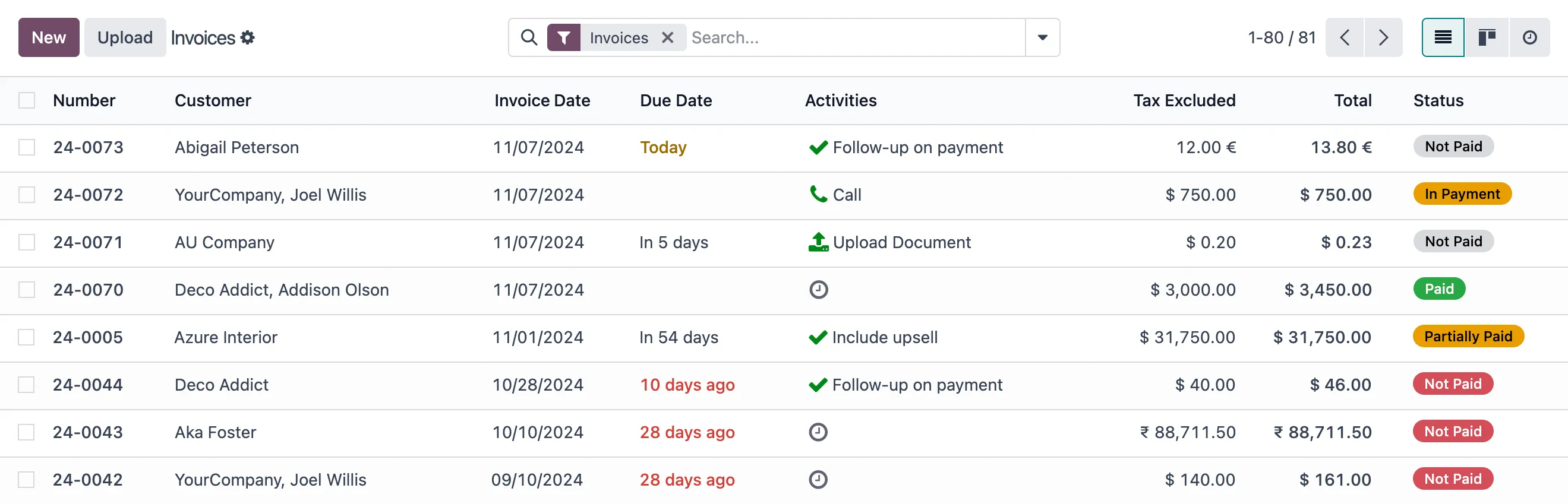
Lista de facturas con estado de pago en Odoo
App 02 · Odoo Community
 Gastos
Deja de perseguir recibos en papel. La aplicación Gastos de Odoo les da a los empleados una forma sencilla de reportar lo que gastan y a los gerentes, control total. Incluye:
- Registro sencillo: Crea un gasto en segundos, adjunta el recibo o simplemente reenvíalo por correo.
- Informes de gastos: Agrupa varios gastos en un solo informe para aprobarlos en un solo paso.
- Flujo de aprobación: Decide quién aprueba qué y sigue cada informe desde que se envía hasta que se paga.
- Reembolsar o refacturar: Reembolsa a tus empleados o refactura los costos de un proyecto a tus clientes mediante sus órdenes de venta.
- Integración contable: Los gastos aprobados se registran automáticamente en los diarios correctos.
Mantén el gasto bajo control y reembolsa a tu equipo más rápido con Odoo Gastos.
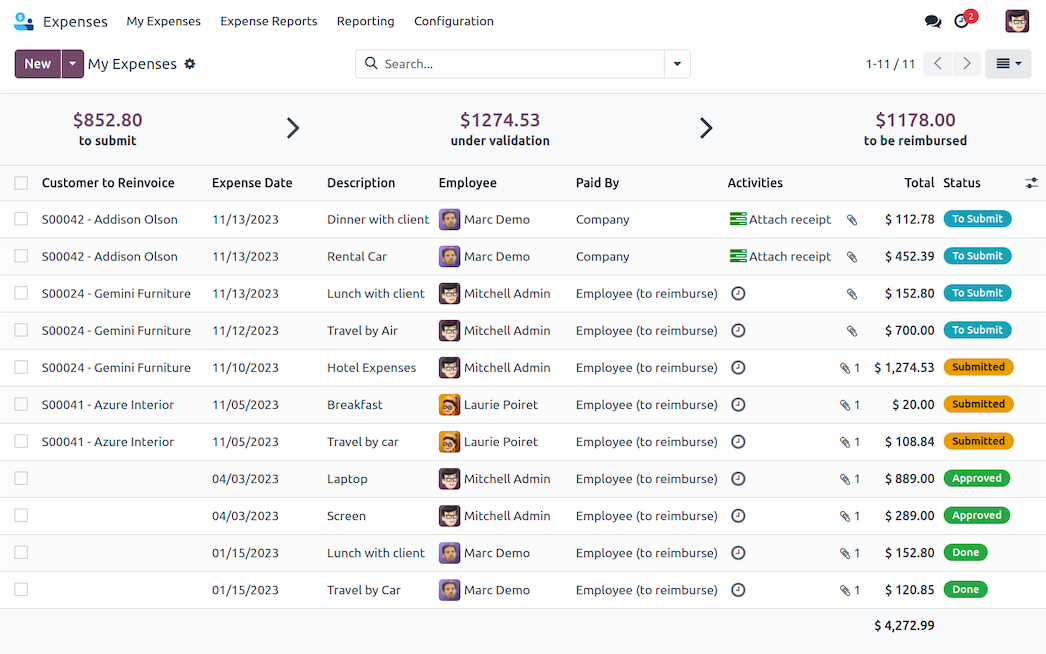
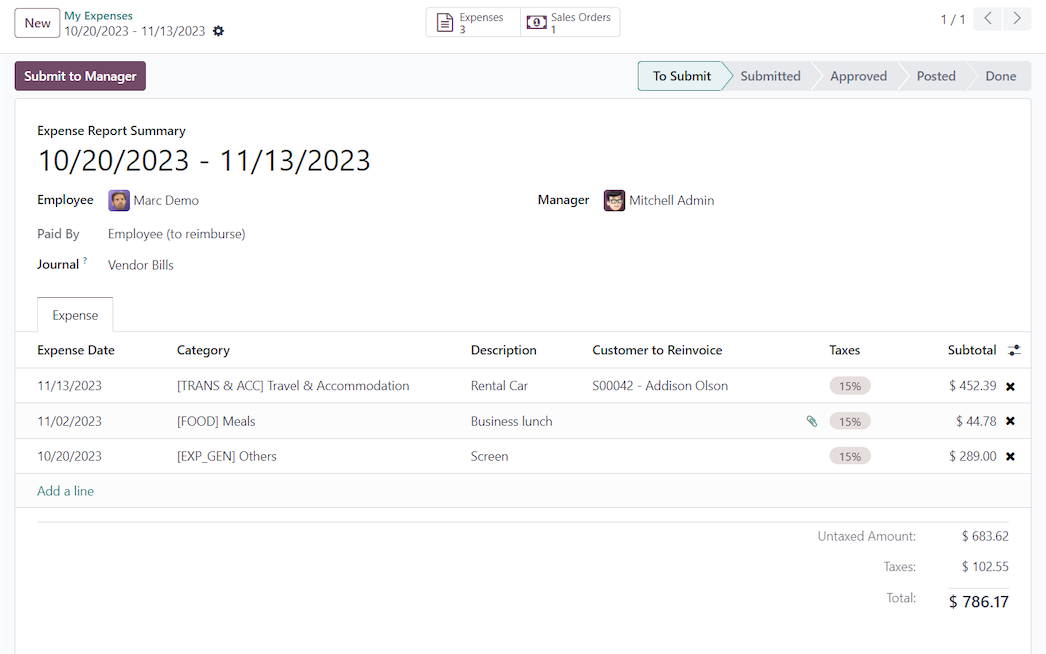
Informe de gastos
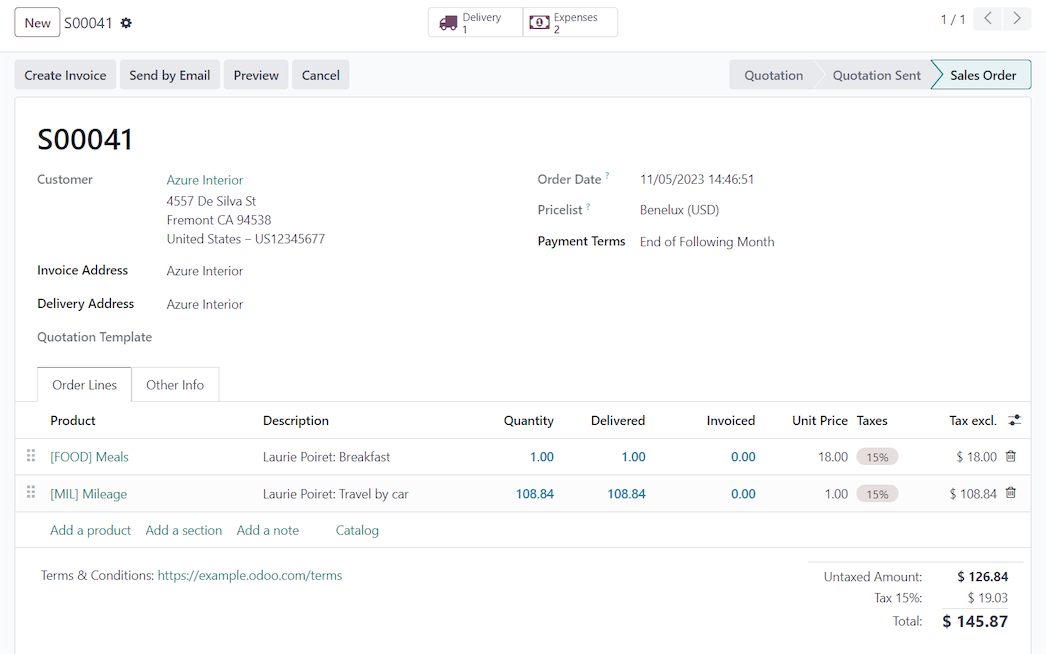
Gasto por reembolsar o refacturar
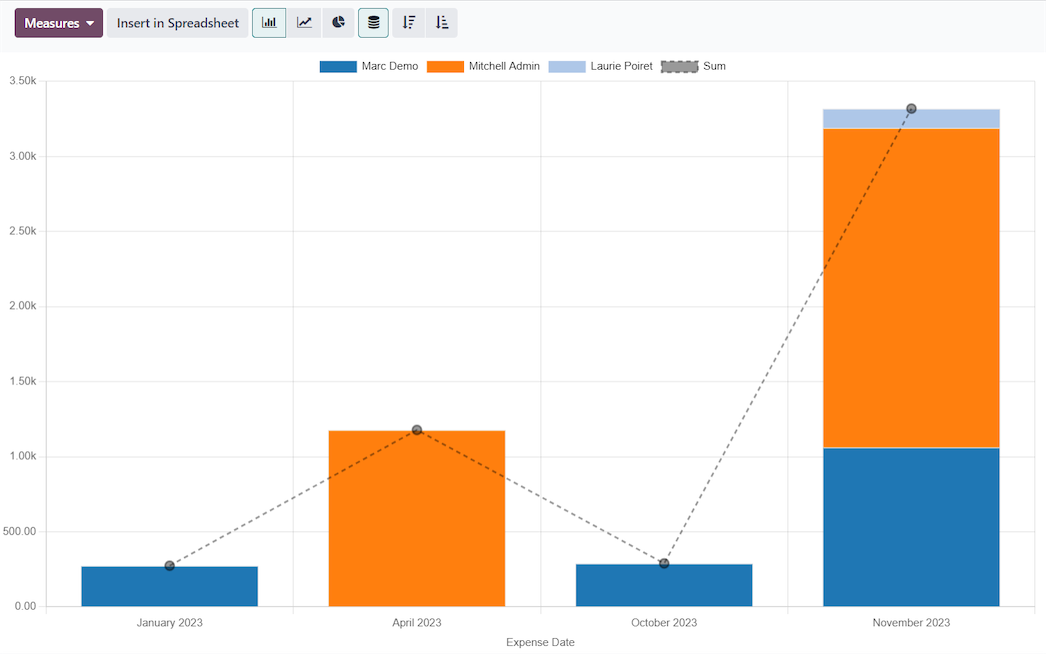
Informe de análisis de gastos
App 03 · Odoo Community
Impuestos y posiciones fiscales
Cumple con las normas sin hacer cuentas. Los impuestos se configuran una vez y se aplican automáticamente en cotizaciones, facturas, facturas de proveedores y órdenes del punto de venta:
- Cálculo automático de impuestos: Los impuestos asignados a cada producto se aplican y se calculan línea por línea.
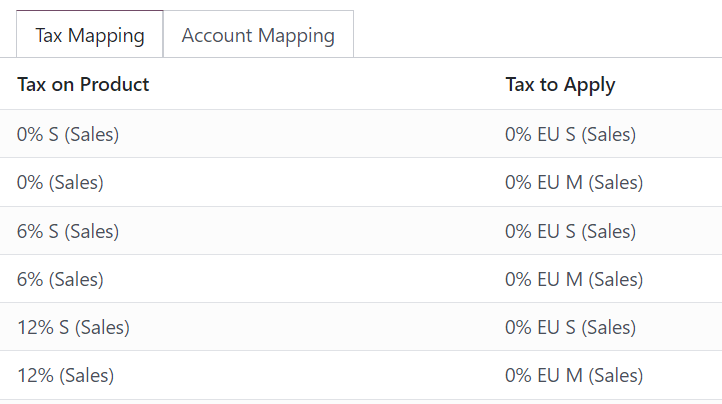
- Posiciones fiscales: Adapta automáticamente impuestos y cuentas a cada cliente, por ejemplo compradores de otros estados o exentos de impuestos.
- Precios con o sin impuestos incluidos: Elige cómo se muestran y se calculan los precios en tus documentos.
- Localización por país: Empieza con un paquete de localización fiscal que incluye plan de cuentas e impuestos predeterminados.
- Trazabilidad completa: Cada monto de impuesto se registra en sus propios apuntes contables, así que los débitos y créditos de impuestos son fáciles de revisar.
Cobra los impuestos correctos siempre y mantén tu contabilidad lista para una auditoría.

Impuestos aplicados en una línea de factura
App 04 · Odoo Community
 Pagos en línea
Facilita que tus clientes te paguen. Cada factura se puede ver y pagar en línea desde un portal seguro:
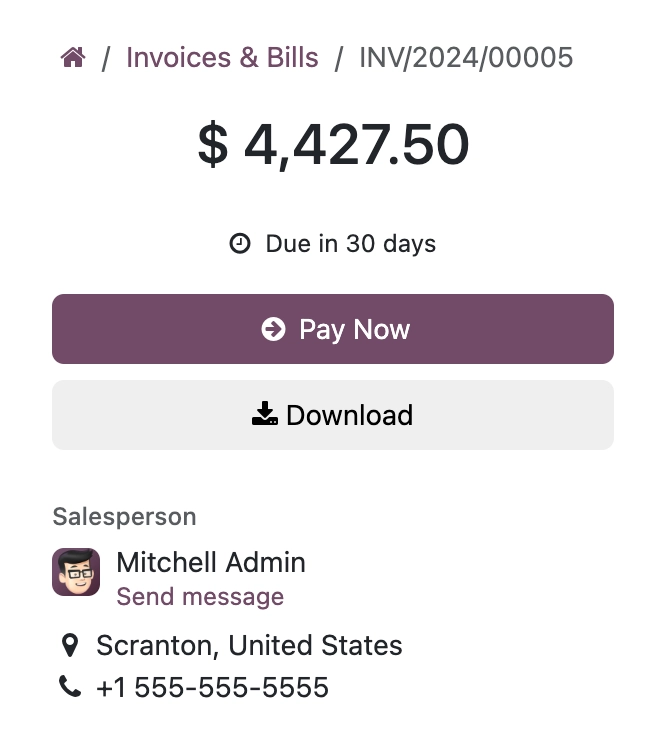
- Portal del cliente: Tus clientes ven, descargan y pagan sus facturas cuando les convenga.
- Enlaces de pago: Envía facturas por correo con un enlace directo para pagar en línea.
- Proveedores de pago populares: Conecta proveedores como Stripe, PayPal, Authorize.Net o Adyen.
- Conciliación automática: Los pagos en línea se registran contra la factura, así que su estado se actualiza solo.
Acorta tu ciclo de cobro y mejora tu flujo de caja con pagos en línea.
Siguiente paso
¿Listo para tomar el control de tus finanzas?
Nuestro equipo planifica, configura y da soporte a tus apps de Odoo para que se ajusten a tu forma de trabajar.
¿Prefieres hablar? 786-258-1088 • info@innovansis.com
Aplicaciones de Odoo Community